
Complex Numbers: What's My Rule? by Carolijn Tacken (3)
Loading the math board and drawing, please wait…
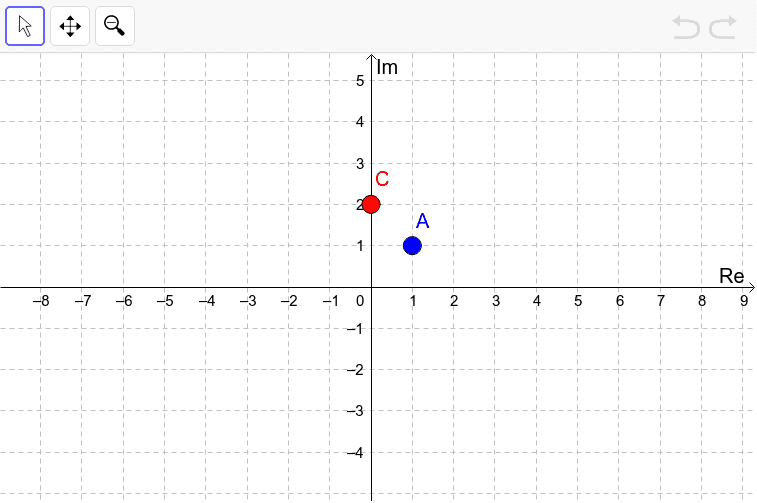
① This interactive GeoGebra example displays a complex plane with points A and C, where dragging point A causes point C to move according to a hidden rule, inviting users to discover the transformation. ② The core mathematical concepts are the geometric representation of complex numbers, the correspondence between complex numbers and vectors in the plane, and how complex operations (multiplication, rotation, scaling, translation) manifest visually. ③ Construction highlights: using GeoGebra objects A, C_1, B, and C, the rule is implemented as a complex function of A; users drag A and observe C's trajectory, then attempt to describe the rule in geometric terms (e.g., rotation angle, scale factor, translation). ④ Suitable for high school or early college students learning complex numbers, this activity promotes inquiry-based learning, connecting algebraic operations to geometric transformations and enhancing pattern recognition and hypothesis testing skills.
GeoGebra Commands & Parameters
Point A(1.0, 1.0)(0, y(A))Point B(3.0, 1.0)(A * A)
AI Drawing Prompt Reference
Draw two points P at (1,1) and Q with the same y-coordinate as P on a complex plane. Add a fixed point R at (3,1). For each position of P, draw point S such that S is the result of multiplying P by R. Drag P to see the locus of S, illustrating the geometric effects of complex multiplication like rotation and scaling.
The prompt above was compiled from the original drawing commands and is for reference only.