
Complex Number Arithmetic with Modulus and Argument Visualization
Loading the math board and drawing, please wait…
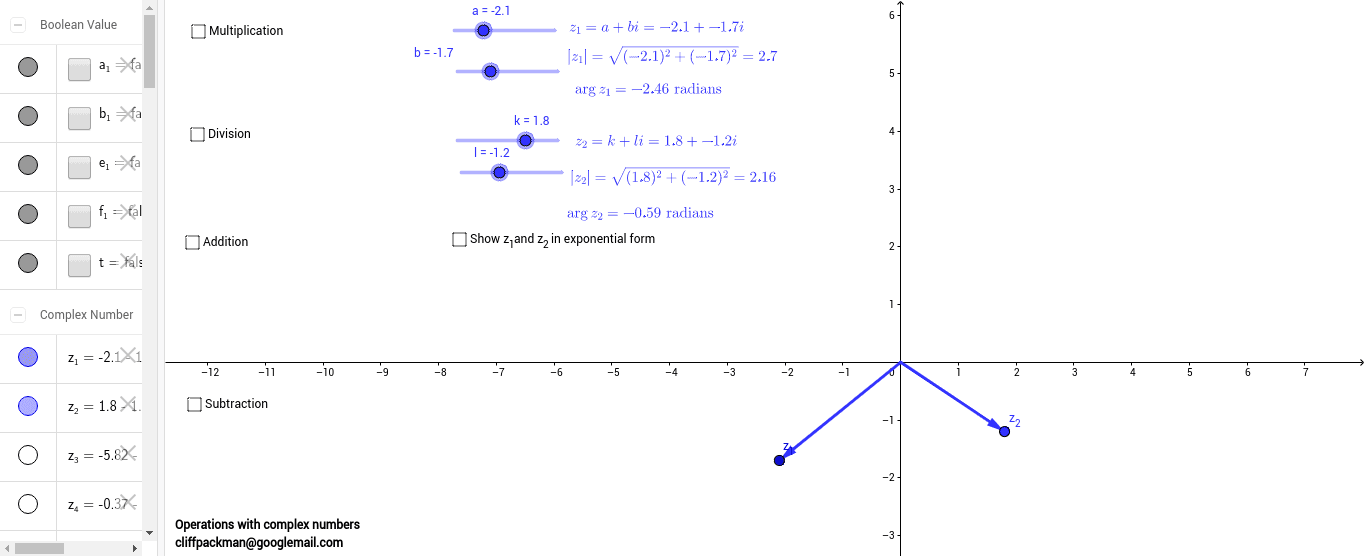
① This example demonstrates addition, subtraction, multiplication, and division of complex numbers while visually displaying each number's modulus and argument. ② Core mathematical concepts include algebraic operations on complex numbers, the geometric meaning of modulus and argument, and vector representation on the complex plane. ③ Construction highlights: GeoGebra's If conditional command and Vector command are used to create objects a, b, z_1, z_2, z_3, z_4 and automatically compute modulus and argument via modulusz_1, argumentz_1, etc., with text labels text1…text10 showing the numeric values. ④ Suitable for high‑school pre‑calculus or introductory university complex analysis courses, and as a classroom visual aid for complex‑number geometry.
GeoGebra Commands & Parameters
If(a < 0, π - e, e) → fIf(b < 0, -f, f) → argumentz_1If(k < 0, π - j, j) → mIf(l < 0, -m, m) → argumentz_2If(x(z_3) < 0, π - o, o) → pIf(y(z_3) < 0, -p, p) → qVector(A, z_1) → uVector(A, z_2) → vVector(A, z_3) → wIf(x(z_4) < 0, π - r, r) → sIf(y(z_4) < 0, -s, s) → argumentz_4Vector(A, z_4) → zVector(z_1, z_5) → u_1Vector(z_2, z_5) → v_1Vector(A, z_5) → w_1If(x(z_5) < 0, π - absz_5, absz_5) → absz_52If(y(z_5) < 0, -absz_52, absz_52) → argumentz_5Vector(z_1, z_6) → c_1Vector(A, z_6) → d_1
AI Drawing Prompt Reference
Draw two complex numbers on the complex plane, showing their vector representations, magnitudes, and arguments. Perform addition, subtraction, multiplication, and division on these numbers, also representing the results as vectors. Label the magnitude and argument of each complex number, using different colors for different operations and vectors.
The prompt above was compiled from the original drawing commands and is for reference only.