
Complex Multiplication & Division Demo
Loading the math board and drawing, please wait…
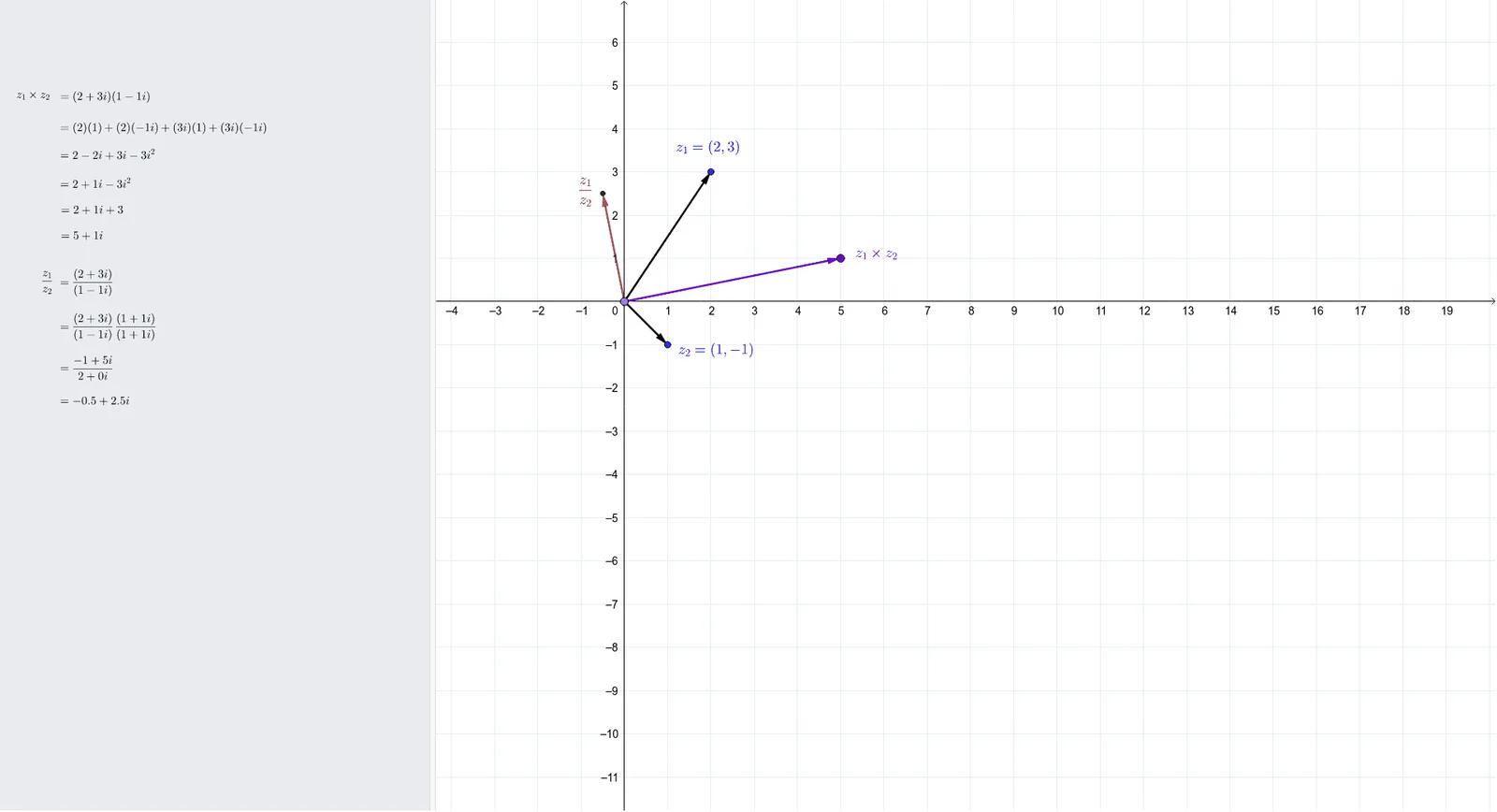
This interactive example demonstrates complex multiplication and division operations on the complex plane. It involves core math concepts like complex numbers, multiplication, division, and complex conjugates. Constructed using GeoGebra commands such as ComplexVector, ComplexMultiplication, ComplexDiv, and ComplexConjugate. Suitable for high school mathematics teaching or for beginners learning complex numbers.
GeoGebra Commands & Parameters
ComplexVector(z_2) → uComplexVector(z_1) → vComplexMultiplication(z_1, z_2) → AComplexVector(A) → wPoint(xAxis) → CIf(iv < 0, "", "+") → sign1If(ui < 0, "", "+") → sign2If(b < 0, "", "+") → sign3If(c < 0, "", "+") → sign4If(d < 0, "", "+") → sign5If(e < 0, "", "+") → sign6If(f < 0, "", "+") → sign7ComplexDiv(z_1, z_2) → z_{4}ComplexVector(z_{4}) → z_3Point(z_3) → DPoint(z_3) → FIf(h < 0, "", "+") → sign8ComplexConjugate(z_2) → conjComplexMultiplication(z_1, conj) → numComplexMultiplication(z_2, conj) → denIf(k < 0, "", "+") → sign9If(m < 0, "", "+") → sign10ComplexDiv(num, den) → divIf(o < 0, "", "+") → sign11
AI Drawing Prompt Reference
Draw two complex numbers as vectors on the complex plane and display the results of their multiplication and division. First, plot the vectors of the two complex numbers, then obtain the vectors of their product and quotient through vector operations, and mark the corresponding points on the complex plane. Also, demonstrate the concept of complex conjugate by performing multiplication and division with the conjugate, and mark the resulting vectors. Finally, add positive or negative signs based on the real and imaginary parts of the operation results to make the graph clearer.
The prompt above was compiled from the original drawing commands and is for reference only.