
Completing the Square (2) – Interactive Quiz with Feedback
Loading the math board and drawing, please wait…
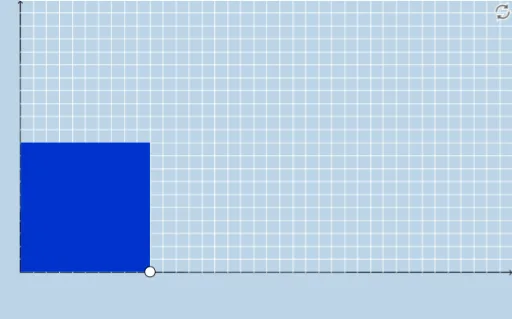
① This example is an interactive practice tool for completing the square in quadratic functions, generating random questions with immediate feedback to help learners master converting general form to vertex form. ② The core mathematical concept is the method of completing the square, involving perfect square trinomials, vertex coordinates, and transformations of the parabola graph. ③ Construction highlights: Based on the construction summary, it uses GeoGebra commands such as Textfield, Segment, Polygon, Sequence, Point, Dilate, Rotate, Vector, Translate, Distance, and creates dynamic objects (bottoms, tops, lefts, rights, etc.) to visualize the geometric area model of completing the square, with sliders or input interactions to adjust parameters. ④ Suitable for middle and high school students learning quadratic functions, useful for classroom demonstration or self-study, especially for understanding both the algebraic steps and geometric meaning of completing the square.
GeoGebra Commands & Parameters
Segment(A, B) → fSegment(D, C) → hSegment(C, A) → iPolygon(A, B, D, C) → poly1, a_1, b_1, d, cSequence((a + i, 0), i, 0, abs(b / 2), 1) → bottomsSequence((a + i, a), i, 0, abs(b / 2), 1) → topsSequence((0, a + i), i, 0, abs(b / 2), 1) → leftsSequence((a, a + i), i, 0, abs(b / 2), 1) → rightsSequence(Dilate[Element[bottoms, i], If[0 < g ≤ 1, 1 - g, 0], Element[tops, i]], i, 0, abs(b / 2) + 1, 1) → bottomsmoveSequence(Dilate[Element[lefts, i], If[1 < g ≤ 2, 2 - g, 0], Element[rights, i]], i, 0, abs(b / 2) + 1, 1) → leftsmovePoint(bottomsmove) → ESegment(B, E) → jDilate(C, If[1 < g ≤ 2, 2 - g, 0], D) → C'Segment(C, C') → kPolygon(D, H, F, G) → poly2, d_1, h_1, f_1, g_1Dilate(H, If[2 < g ≤ 3, 3 - g, 0], F) → H'Dilate(G, If[2 < g ≤ 3, 3 - g, 0], F) → G'Dilate(I, If[2 < g ≤ 3, 3 - g, 0], A) → I'Segment(I, I') → lRotate(I, If[3 < g ≤ 4, ((-(g - 3)) * π / 2), ((-π)) / 2], A) → I'_1Rotate(I', If[3 < g ≤ 4, ((-(g - 3)) * π / 2), ((-π)) / 2], A) → I''Segment(I'_1, I'') → l'Rotate(I'_1, If[4 < g ≤ 5, ((-(g - 4)) * π / 2), ((-π)) / 2], I'_1) → JRotate(I'', If[4 < g ≤ 5, ((-(g - 4)) * π / 2), ((-π)) / 2], I'_1) → I'''Segment(J, I''') → l''Dilate(A, If[5 < g ≤ 6, 6 - g, 0], I) → A'Vector(A, A') → uTranslate(I'_1, u) → KTranslate(I'', u) → I'''_1Segment(K, I'''_1) → l''_1Sequence(Segment[Element[bottoms, i + 1], Element[bottomsmove, i + 2]], i, 1, abs(b / 2), 1) → list1Sequence(Segment[Element[lefts, i + 1], Element[leftsmove, i + 2]], i, 1, abs(b / 2), 1) → list2Sequence(Polygon[Element[bottoms, i], Element[bottoms, i + 1], Element[tops, i + 1], Element[tops, i]], i, 1, abs(b / 2), 1) → list3Sequence(Polygon[Element[lefts, i], Element[lefts, i + 1], Element[rights, i + 1], Element[rights, i]], i, 1, abs(b / 2), 1) → list4Distance(D, F) → distanceDFTextfield(b) → InputBox1Textfield(e) → InputBox2
AI Drawing Prompt Reference
Draw an interactive geometric diagram for completing the square. Start with a large rectangle whose side lengths depend on parameters, divided into a grid of unit squares. Below and to the left of the rectangle, rows of small squares move or rotate stepwise via a slider, visually rearranging the area to form a perfect square. Include input boxes for coefficients and constants, and display the vertex coordinates. The animation shows how algebraic manipulation corresponds to geometric area transformation.
The prompt above was compiled from the original drawing commands and is for reference only.