
Complement and Addition Rule Practice
Loading the math board and drawing, please wait…
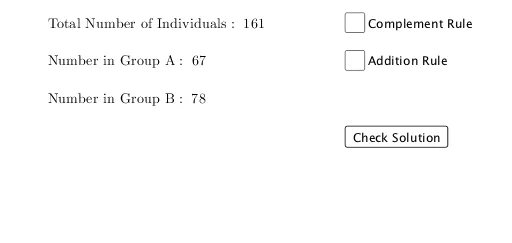
This interactive GeoGebra example is a probability practice tool that demonstrates the complement rule and the addition rule in probability theory. It visually and interactively shows how to compute P(A'), the complement of an event, and P(A∪B) using the addition rule P(A∪B)=P(A)+P(B)-P(A∩B). The construction uses the Random command to generate random data, with objects such as group1, group2, group3, group4 for organizing data, and buttons (button1, button2, button3) to trigger new problems or check answers. Variables like total, A, B store numerical values, while text objects (text1 through text16) display questions and step-by-step solutions. The complement and addition sections are handled by dedicated objects (complement, addition) with solution steps (csol1, csol2, asol1-asol4). This resource is suitable for high school or introductory college statistics courses, serving as a classroom demonstration or self-paced practice for mastering fundamental probability rules.
GeoGebra Commands & Parameters
Random(20, 60) → group1Random(20, 60) → group2Random(20, 60) → group3Random(20, 60) → group4Random(1, 2) → complementRandom(1, 4) → addition
AI Drawing Prompt Reference
Create a probability practice diagram with four randomly generated data groups (range 20 to 60), one object for calculating the probability of a complement event, and one object for calculating the probability of the union of two events. First, generate four random data groups, then create a button to trigger new problems or check answers, followed by a button to display the steps for calculating the probability of the complement event, and finally a button to show the steps for calculating the probability of the union of two events.
The prompt above was compiled from the original drawing commands and is for reference only.