
Comparing Volumes of Rectangular Prisms
Loading the math board and drawing, please wait…
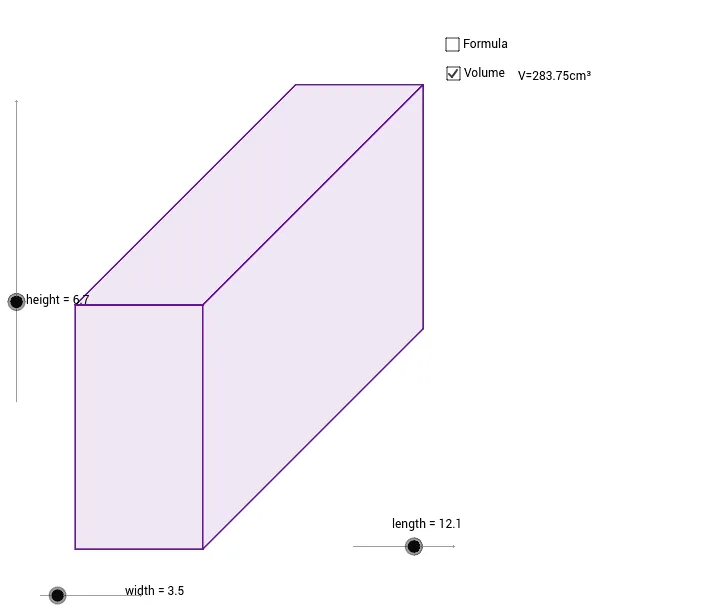
This example demonstrates how to compare the volumes of different rectangular prisms by altering their length, width, and height. Key math concepts include volume calculation formulas, three-dimensional geometry, and parametric curves. It utilizes GeoGebra commands like Segment, Polygon, and Text to construct the shapes and display measurements. Suitable for high school students learning solid geometry to visually understand volume variations.
GeoGebra Commands & Parameters
Segment(A, B) → aSegment(A, C) → bSegment(B, D) → cSegment(C, D) → dSegment(B, E) → eSegment(E, F) → fSegment(F, D) → gSegment(H, F) → hSegment(G, H) → iPolygon(A, G, D, B) → poly1, a_1, g_1, d_1, b_1Polygon(B, E, F, D) → poly2, b_2, e_1, f_1, d_2Polygon(G, H, F, D) → poly3, g_2, h_1, f_2, d_3Text("V=" + height + "x" + width + "x" + length) → text2Text("V=" + (height * length * width) + "cm³") → text1
AI Drawing Prompt Reference
Draw three adjacent rectangular prisms with adjustable length, width, and height to compare their volumes. Each prism is formed by connecting three segments to create a base and then adding top vertices. Display the dimensions and calculated volume for each prism to observe how changes in size affect volume.
The prompt above was compiled from the original drawing commands and is for reference only.