
Colourful Tulip Geometric Construction
Loading the math board and drawing, please wait…
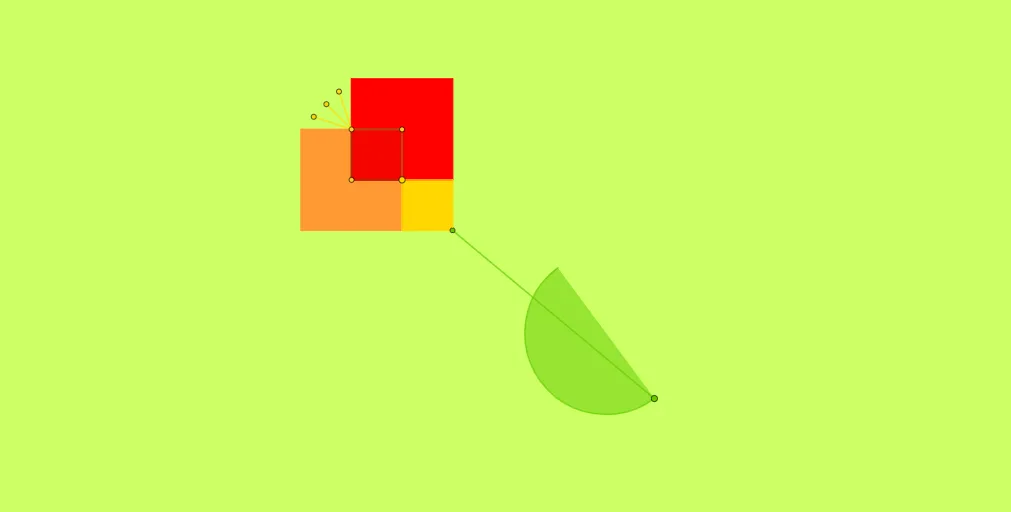
This GeoGebra example demonstrates how to construct a colourful tulip flower using geometric commands. The construction utilizes Polygon commands to create petal and leaf shapes, Segment commands for stems and petal outlines, Midpoint to establish symmetry centers, Intersect to find line intersections, and Point combined with Semicircle to complete curved petal forms. The example covers fundamental geometric concepts including polygon construction, line segment operations, point plotting, and arc drawing. Suitable for middle school math teachers as a geometric construction demonstration, and for students to practice basic GeoGebra operations while learning how simple geometric elements combine into complex artistic shapes.
GeoGebra Commands & Parameters
Polygon(A, B, 4) → poly1, f, g, h, i, C, DPolygon(E, F, 4) → poly2, j, k, l, m, G, HPolygon(B, I, 4) → poly3, n, p, q, r, J, KSegment(D, H) → sMidpoint(D, H) → LMidpoint(L, H) → MMidpoint(L, D) → NIntersect(h, m) → OSegment(M, O) → tSegment(L, O) → aSegment(N, O) → bPoint(xAxis) → QIntersect(j, m) → RPolygon(R, K, 4) → poly4, e, f_1, g_1, h_1, S, TIntersect(n, p) → USegment(U, V) → cSemicircle(V, W) → d
AI Drawing Prompt Reference
Draw a geometric, colorful tulip-style construction. First create several four-sided polygonal petal shapes using the same underlying set of points, arranging them above and to the sides as different petal groups. Connect selected corresponding vertices with line segments to form petal outlines. Use midpoints between key point pairs to establish symmetry centers, then use intersections between lines formed by petal edges to locate auxiliary points. From these intersection and midpoint points, draw additional segments that tie the petal boundaries into a cohesive flower structure. Finally, place a point on a relevant line and add a semicircle arc to complete the curved part of a petal.
The prompt above was compiled from the original drawing commands and is for reference only.