
Circle with the Same Center as the Incircle of Any Triangle
Loading the math board and drawing, please wait…
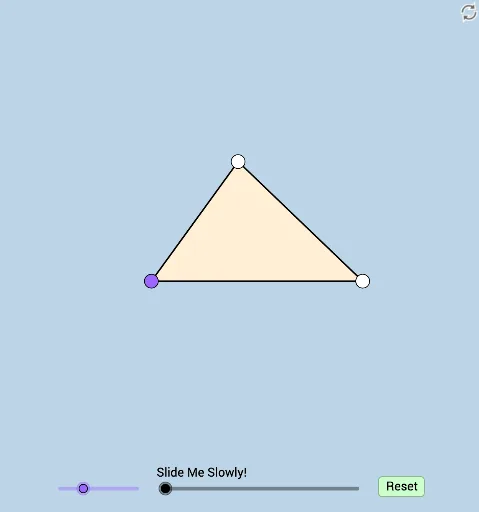
What happens when another circle has the same center as the incircle of any triangle? Explore this phenomenon through an interactive worksheet. This example involves the incircle of a triangle and its properties. GeoGebra commands such as Line, Rotate, Angle, Circle, etc., are used for geometric construction. Suitable for middle school and above students to learn trigonometry and geometric construction.
GeoGebra Commands & Parameters
Line(A, B) → fRotate(B, (a * π / 180), A) → B'Angle(B, A, B') → αRay(A, B') → gPoint(g) → CSegment(B, C) → hLine(A, C) → iLine(C, B) → jSegment(A, B) → kSegment(A, C) → lMin({h, k, l}) → bAngle(C, B, A) → βRotate(B, α / 2, A) → B'_1Angle(B, A, B'_1) → γRotate(C, β / 2, B) → C'Angle(C, B, C') → δRay(A, B'_1) → mRay(B, C') → nIntersect(m, n) → DSegment(D, C) → pSegment(D, A) → qSegment(D, B) → rMax({p, q, r}) → cCircle(D, d) → eIntersect(e, j, 1) → EIntersect(e, i, 2) → FIntersect(e, j, 2) → GIntersect(e, f) → H, IIntersect(e, i, 1) → JSegment(A, D) → sSegment(B, D) → tMin({s, t}) → oSegment(A, B) → f_1Circle(A, (0.35 * o)) → c_1Circle(B, (0.35 * o)) → d_1Intersect(c_1, f_1, 1) → KIntersect(c_1, s, 1) → LIntersect(d_1, h) → M,Intersect(d_1, t, 1) → NPolygon(H, A, J) → poly1, j_1, h_1, a_1Polygon(B, I, G) → poly2, g_1, b_1, i_1Polygon(C, F, E) → poly3, e_1, c_2, f_2Polygon(A, B, C) → poly4, c_3, a_2, b_2Angle(A, C, B) → εCircleSector(B, M, N) → k_1CircleSector(A, K, L) → p_1Dilate(A, If[0 < u ≤ 1, 1 - u, 0], D) → A'Dilate(B, If[1 < u ≤ 2, 2 - u, 0], D) → B'_2Segment(B, B'_2) → l_1Segment(A, A') → m_1Rotate(p_1, If[2 < u ≤ 3, ((u - 2) * γ), γ], A) → q_1Rotate(k_1, If[3 < u ≤ 4, ((u - 3) * δ), δ], B) → r_1Dilate(D, If[4 < u ≤ 5, 5 - u, 0], F) → D'Circle(D, D') → s_1Segment(D, D') → n_1Dilate(C, If[5 < u ≤ 6, 6 - u, 0], F) → C'_1Dilate(C, If[5 < u ≤ 6, 6 - u, 0], E) → C'_2Dilate(A, If[5 < u ≤ 6, 6 - u, 0], H) → A'_1Dilate(A, If[5 < u ≤ 6, 6 - u, 0], J) → A'_2Dilate(B, If[5 < u ≤ 6, 6 - u, 0], I) → B'_3Dilate(B, If[5 < u ≤ 6, 6 - u, 0], G) → B'_4Segment(C, C'_1) → t_1Segment(C, C'_2) → g_2Segment(A, A'_1) → h_2Segment(A, A'_2) → i_2Segment(B, B'_3) → j_2Segment(B, B'_4) → k_2Dilate(F, If[6 < u ≤ 7, 7 - u, 0], E) → F'Dilate(H, If[6 < u ≤ 7, 7 - u, 0], J) → H'Dilate(G, If[6 < u ≤ 7, 7 - u, 0], I) → G'Segment(F, F') → l_2Segment(H, H') → m_2Segment(G, G') → n_2Rotate(C, If[7 < u ≤ 8, ((u - 7) * ε), ε], C) → C'_3Rotate(C'_1, If[7 < u ≤ 8, ((u - 7) * ε), ε], C) → OSegment(C'_3, O) → p_2Rotate(A, If[8 < u ≤ 9, ((u - 8) * α), α], A) → A'_3Rotate(A'_1, If[8 < u ≤ 9, ((u - 8) * α), α], A) → PSegment(A'_3, P) → q_2Rotate(B, If[9 < u ≤ 10, ((u - 9) * β), β], B) → B'_5Rotate(B'_4, If[9 < u ≤ 10, ((u - 9) * β), β], B) → QSegment(B'_5, Q) → r_2
AI Drawing Prompt Reference
Draw a triangle ABC and construct a circle with the incenter of the triangle as its center. Then, using rotation and angle calculations, create another circle concentric with the incenter circle and find its intersections with the triangle's sides to form a new triangle DEF. Finally, use scaling operations to adjust the positions of the triangle's vertices and observe the changes.
The prompt above was compiled from the original drawing commands and is for reference only.