
Circle Tangent-Types Illustrator by Tim Brzezinski
Loading the math board and drawing, please wait…
In collections
Circles (Theorems)
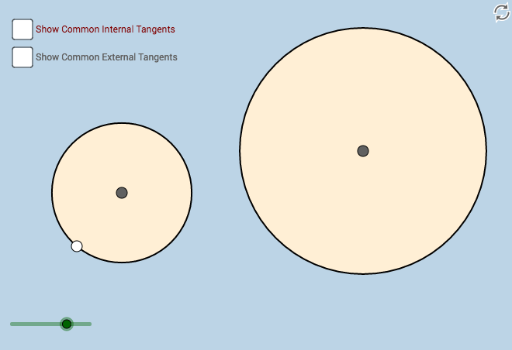
This example demonstrates how to construct circles and their tangent lines using geometric principles. Key mathematical concepts include circle properties, tangent line definitions, distance calculations, and geometric transformations. The construction involves using GeoGebra commands such as Circle, Tangent, Intersect, and Dilate with various objects like A, B, C, etc. It is suitable for high school students or math enthusiasts to understand the relationship between circles and tangents, and to practice geometric construction skills.
GeoGebra Commands & Parameters
Circle(A, B) → cSegment(A, B) → fPointIn(a) → CDistance(C, c) → bCircle(C, d) → eTangent(c, e) → g, h, i, jIntersect(c, h) → DIntersect(c, j) → E, NIntersect(e, j) → FIntersect(e, h) → G, LIntersect(e, g) → H, KIntersect(e, i) → IIntersect(c, i) → J, MIntersect(c, g) → OCircle(D, 2) → pCircle(E, 2) → qCircle(O, 2) → rCircle(K, 2) → sCircle(I, 2) → tCircle(F, 2) → c_1Circle(G, 2) → d_1Circle(J, 2) → e_1Intersect(e_1, i, 1) → PIntersect(e_1, i, 2) → QIntersect(p, h, 1) → RIntersect(p, h, 2) → SIntersect(c_1, j, 2) → TIntersect(c_1, j, 1) → UIntersect(d_1, h, 1) → VIntersect(d_1, h, 2) → WIntersect(s, g, 2) → ZIntersect(s, g, 1) → A_1Intersect(r, g, 2) → B_1Intersect(r, g, 1) → C_1Intersect(q, j, 2) → D_1Intersect(q, j, 1) → E_1Dilate(A, If[0 < k ≤ 1, 1 - k, 0], D) → A'Dilate(A, If[0 < k ≤ 1, 1 - k, 0], M) → A'_1Dilate(A, If[0 < k ≤ 1, 1 - k, 0], E) → A'_2Dilate(A, If[0 < k ≤ 1, 1 - k, 0], O) → A'_3Angle(A, O, C_1) → αAngle(A, E, E_1) → βAngle(A, J, Q) → γAngle(A, D, S) → δAngle(C, K, A_1) → εIntersect(t, i, 1) → F_1Angle(C, I, F_1) → ζAngle(C, F, T) → ηAngle(C, G, W) → θDilate(C, If[0 < k ≤ 1, 1 - k, 0], G) → C'Dilate(C, If[0 < k ≤ 1, 1 - k, 0], F) → C'_1Dilate(C, If[0 < k ≤ 1, 1 - k, 0], I) → C'_2Dilate(C, If[0 < k ≤ 1, 1 - k, 0], K) → C'_3Segment(A, A') → lSegment(A, A'_1) → mSegment(A, A'_2) → nSegment(A, A'_3) → f_1Segment(C, C') → g_1Segment(C, C'_1) → h_1Segment(C, C'_2) → i_1Segment(C, C'_3) → j_1Intersect(i, j) → G_1Intersect(i, j) → H_1
AI Drawing Prompt Reference
Draw a circle and its tangent lines to illustrate geometric construction. Start by drawing a circle and a line segment, then place a point on the segment and draw another circle centered at this point. Find the intersection points of the two circles and draw tangent lines from these points. Next, draw small circles at the tangent points and find their intersections with the larger circles. Finally, create new points by scaling existing ones and measure angles to show geometric relationships.
The prompt above was compiled from the original drawing commands and is for reference only.