
Changing Area with Fixed Perimeter
Loading the math board and drawing, please wait…
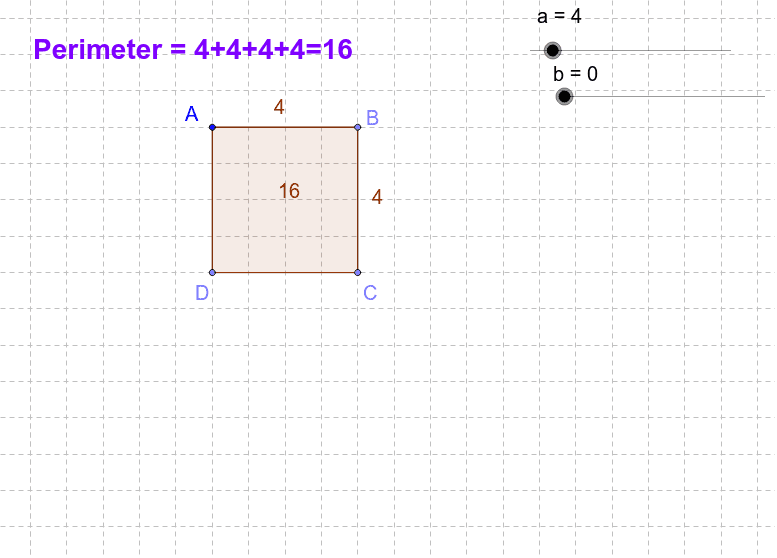
This example demonstrates how the area of different polygons changes under a fixed perimeter. Key mathematical concepts include the perimeter and area of polygons. Using GeoGebra commands such as Point, Segment, and Polygon, you can dynamically change the shape of the polygon and observe how its area changes. Suitable for middle and high school students studying geometry and area calculation.
GeoGebra Commands & Parameters
Point(Circle[A_1, abs(a)]) → B_1Point(Circle[A, abs(a - b)]) → BSegment(A, B) → cPoint(Circle[B, abs(a + b)]) → CSegment(B, C) → dPoint(Circle[C, abs(a - b)]) → DSegment(C, D) → eSegment(A, D) → fPolygon(A, B, C, D) → poly1, c_3, d_3, e_2, f_1
AI Drawing Prompt Reference
Draw a quadrilateral with a fixed perimeter. Start with one vertex, then construct the other three vertices sequentially so that the distances between consecutive vertices equal three given lengths, and the sum of these lengths with the initial side forms the fixed perimeter. Connect the four vertices to form a closed polygon and display its area. By dragging a vertex, you can dynamically change the shape of the quadrilateral while observing how the area changes, with the perimeter remaining constant.
The prompt above was compiled from the original drawing commands and is for reference only.