
Rectangle Perimeter Given Area
Loading the math board and drawing, please wait…
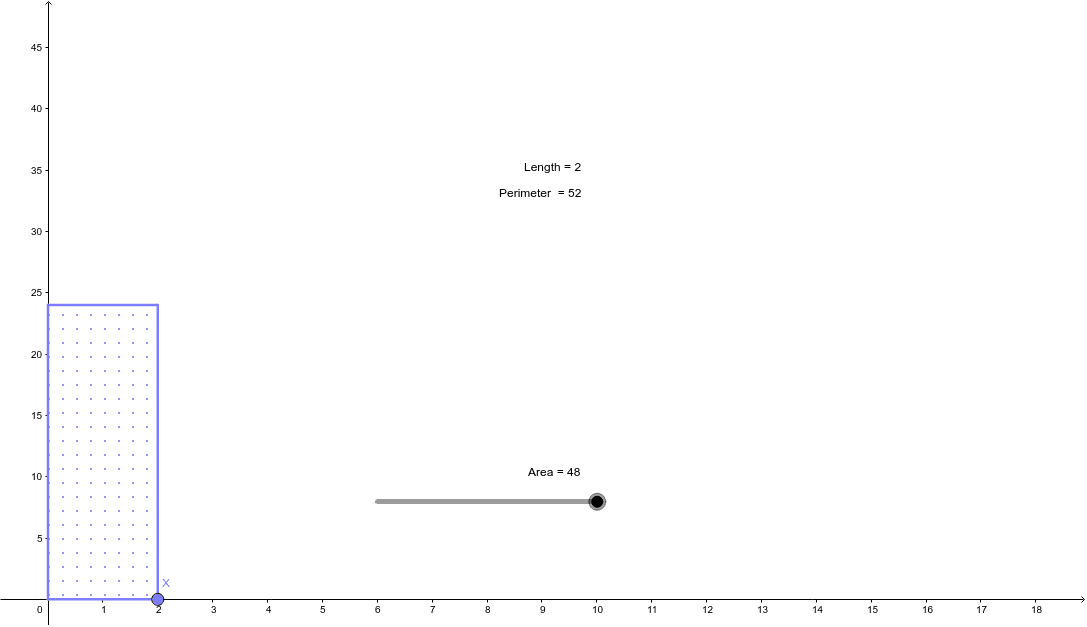
This example demonstrates dynamically how to calculate the perimeter of a rectangle given its area using GeoGebra. It involves core concepts like area, perimeter, integers, median value, isosceles triangles, and rational numbers. Key GeoGebra commands used include Intersect, Point, Segment, Polygon, Perimeter, and PointIn to construct the rectangle and calculate the perimeter based on an adjustable area. Suitable for middle school and above mathematics education to understand the relationship between area and perimeter and geometric constructions.
GeoGebra Commands & Parameters
Intersect(xAxis, yAxis) → APoint(xAxis) → XSegment(A, X) → aPolygon(A, X, D, C) → poly1, a_1, b, d, cPerimeter(poly1) → perimeterpoly1PointIn(poly1) → Pointpoly1
AI Drawing Prompt Reference
Draw a rectangle with an adjustable area and display its perimeter. Start by drawing a line segment at the intersection of the coordinate axes, then draw a parallel line segment from one endpoint of the first segment. Construct a quadrilateral using these two segments and two variable points such that its area equals a given value. Finally, calculate and display the perimeter of the quadrilateral.
The prompt above was compiled from the original drawing commands and is for reference only.