
Centroid (5)
Loading the math board and drawing, please wait…
In collections
geometriadinamica.es
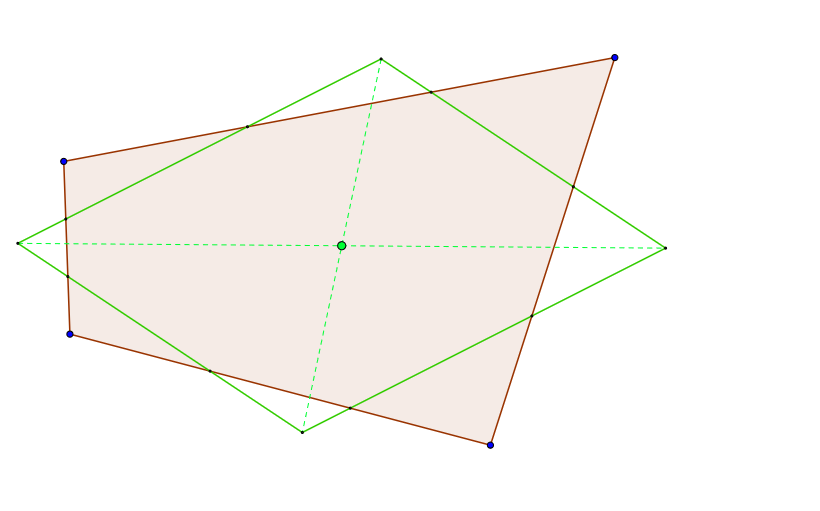
This example demonstrates how to find the centroid of a pentagon using geometric construction methods. Key mathematical concepts include polygons, centroid definition, and construction techniques. Using GeoGebra commands such as Polygon, Midpoint, and Segment, the process of calculating the centroid is visually explained. Suitable for middle school and above students or teachers.
GeoGebra Commands & Parameters
Polygon(A, B, C, D) → poly1, a, b, c, dPolygon(A, C, B) → poly2, b_1, a_1, c_1Polygon(A, D, C) → poly3, c_2, a_2, d_1Midpoint(a) → EMidpoint(b) → FSegment(A, F) → eSegment(C, E) → fIntersect(e, f) → G_1Midpoint(d) → GMidpoint(c) → HSegment(A, H) → gSegment(C, G) → hIntersect(g, h) → G_2Segment(G_1, G_2) → iPolygon(E, G, H, F) → poly4, e_1, g_1, h_1, f_1Segment(E, H) → jSegment(G, F) → kIntersect(j, k) → ISegment(B, D) → lSegment(B, G) → mSegment(D, E) → nSegment(D, F) → pSegment(B, H) → qIntersect(n, m) → KIntersect(p, q) → LSegment(K, L) → rIntersect(i, r) → JSegment(A, C) → sMidpoint(N, D) → QMidpoint(D, P) → RMidpoint(O, B) → SMidpoint(B, M) → TLine(M, N) → tLine(Q, R) → i_1Line(P, O) → j_1Line(S, T) → k_1Intersect(t, k_1) → UIntersect(t, i_1) → VIntersect(i_1, j_1) → WIntersect(j_1, k_1) → ZPolygon(U, V, W, Z) → poly5, u, v, w, zSegment(U, W) → l_1Segment(V, Z) → m_1
AI Drawing Prompt Reference
Construct a centroid-configuration diagram for a pentagon. Start with five labeled vertices connected to form the pentagon outline. Take midpoints of specific sides, then draw segments joining certain vertices to these midpoints. Create intersections between the resulting segments to obtain key intersection points that drive the construction. Using the remaining midpoint connections, form additional intersecting segments and capture another set of intersection points. Finally, connect the key intersection points to outline a quadrilateral that visually represents the constructed centroid-related region, keeping the pentagon, the chosen midpoints, and intersection relationships clearly shown in a stepwise layout.
The prompt above was compiled from the original drawing commands and is for reference only.