
Catenoid: Dynamic and Modifiable Illustrator
Loading the math board and drawing, please wait…
In collections
Multivariable Calculus
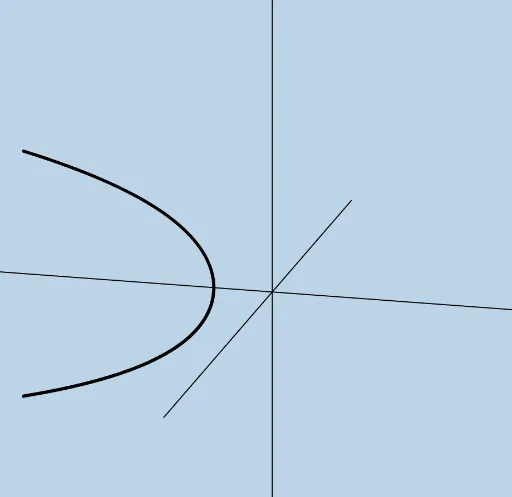
①This example dynamically illustrates the catenoid, a minimal surface formed by rotating a catenary curve about its directrix, commonly seen in soap film experiments. ②Core mathematical concepts include the catenary (hyperbolic cosine), surfaces of revolution, minimal surfaces, parametric surfaces, and symmetry. ③Construction highlights: using GeoGebra's Surface command to create the parametric surface, along with Mirror, Rotate, and Line commands to build symmetric structures, and sliders (objects a, b, c, etc.) to adjust shape parameters in real time. ④Suitable for high school to university-level geometry and calculus instruction, demonstrating parametric equations of surfaces, surface area, and minimal surface properties, as well as serving as a tool for mathematical visualization research.
GeoGebra Commands & Parameters
Surface(((c * cosh(v / c)) * cos(u)), ((c * cosh(v / c)) * sin(u)), v, u, (-π), a, v, 0, b) → dMirror(d, Plane[(0, 0, 0), (1, 0, 0), (1, 1, 0)]) → d'Rotate(f, π / 2, Line[(0, 0, 0), (0, 1, 0)]) → f_1Rotate(f_1, ((-π)) / 2, Line[(0, 0, 0), (0, 0, 1)]) → gMirror(g, Plane[(0, 0, 0), (0, 1, 0), (0, 1, 1)]) → g'Rotate(g', a + π, (0, 0, 0), Line[(0, 0, 0), (0, 0, 1)]) → g''Line((0, 0, 0), (0, 0, 1)) → hLine((0, 0, 0), (0, 1, 0)) → iLine((0, 0, 0), (1, 0, 0)) → j
AI Drawing Prompt Reference
Create a catenoid with adjustable parameters by first constructing a parametric surface using the equation ((c * cosh(v / c)) * cos(u)), ((c * cosh(v / c)) * sin(u)), where c, u, and v are parameters, and u ranges from -π to a, v ranges from 0 to b. Then, use mirroring, rotating, and translating operations to create symmetric structures. Adjust parameters c, a, and b using sliders to change the shape in real time.
The prompt above was compiled from the original drawing commands and is for reference only.