
Cat & Mouse Chase Simulation: Dynamic Geometry, Vectors, and Optimization
Loading the math board and drawing, please wait…
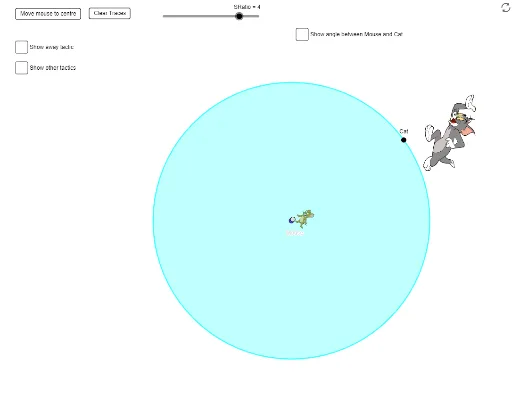
This GeoGebra example simulates a cat-and-mouse chase, demonstrating dynamic geometric motion with velocity vectors and pursuit paths. It illustrates core mathematical concepts including vector operations, angle measurement, tangents to circles, segment comparisons, and optimization problems (e.g., when the cat catches the mouse or how the mouse escapes). The construction uses commands such as Circle, Point, PointIn, Angle, If, Segment, Radius, UnitVector, Tangent, Line, Intersect, and Mirror, with sliders and animation to drive the motion. Suitable for high school and above, it helps learners explore vectors, circles, tangents, optimization, and dynamic geometry modeling, and can serve as a math lab or competition training tool.
GeoGebra Commands & Parameters
Circle(O, R) → cPoint(c) → APoint(c) → CatPointIn(c) → MouseAngle(Mouse, O, Cat) → αIf(α > π, true, false) → MClockIf(MClock, v_c, (-v_c)) → dv_cIf(MClock, v_c / 4, ((-v_c)) / 4) → dv_mSegment(O, Mouse) → iSegment(O, Cat) → jCircle(O, Mouse) → dRadius(d) → rUnitVector(Vector[O, Mouse]) → mradunitAngle(Cat, O, Mouse) → βUnitVector(Vector[Cat, Mouse]) → ctmunitSegment(Cat, O) → fSegment(O, Mouse) → gCircle(O, circlingboundaryrad) → eCircle(O, dashboundaryrad) → hTangent(Cat, c) → n,Point(n) → DCircle(Cat, D) → pLine(O, Mouse) → qIntersect(c, q) → E, FTangent(F, c) → s,Line(Mouse, s) → f_1Point(f_1) → GCircle(Mouse, G) → c_1Intersect(p, n, 2) → BMirror(pic3, LineBisector[Cat, D]) → pic4