
Cat Food Sharing
Loading the math board and drawing, please wait…
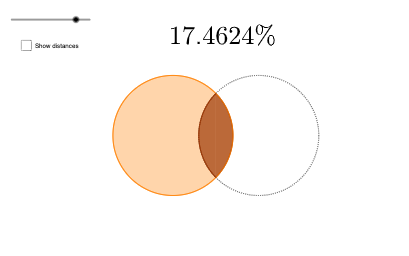
This example demonstrates how to use GeoGebra to draw arcs and segments, and construct a geometric model about cat food sharing. The core mathematical concepts include circles, segments, and angles. By using commands such as Intersect, CircleArc, Circle, and Segment, arcs, segments, and angles can be constructed. Suitable for students at junior high school level and above to learn coordinate geometry and geometric construction.
GeoGebra Commands & Parameters
Intersect(eq1, eq2, 1) → CIntersect(eq1, eq2, 2) → DCircleArc(B, C, D) → cCircleArc(A, D, C) → dCircle(A, 1) → eSegment(C, B) → fSegment(B, D) → gAngle(C, B, D) → αIntersect(eq1_{1}, eq2_{1}, 1) → C_{1}Intersect(eq1_{1}, eq2_{1}, 2) → D_{1}CircleArc(B_{1}, C_{1}, D_{1}) → c_{1}Segment(C_{1}, B_{1}) → f_{1}Segment(B_{1}, D_{1}) → g_{1}Angle(C_{1}, B_{1}, D_{1}) → α_{1}Segment(A, B) → kPoint(eq1_{1}) → ESegment(A, E) → l
AI Drawing Prompt Reference
Draw a geometric model showing cat food sharing, including two arcs and multiple segments, start by drawing two intersecting circles to get two intersection points, then use these points to draw arcs and segments, label the two angles, and finally connect specific points to form the complete shape.
The prompt above was compiled from the original drawing commands and is for reference only.