
Calculating Perimeter of Rectangles
Loading the math board and drawing, please wait…
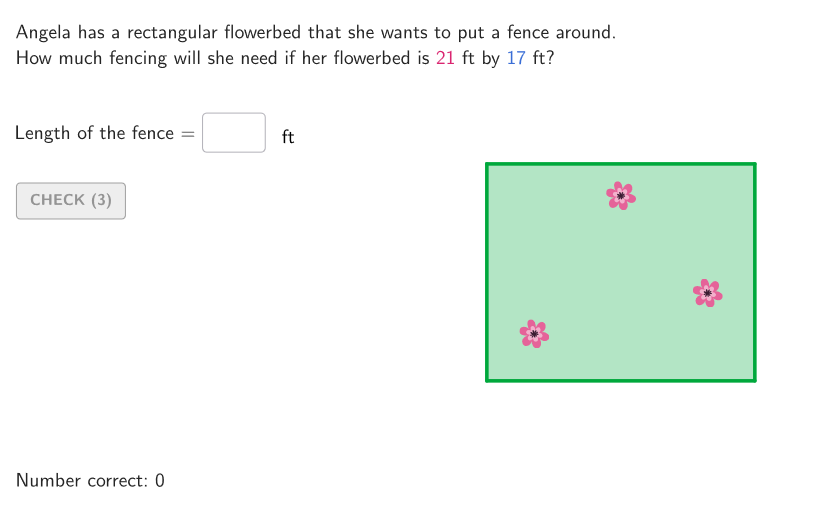
This example demonstrates how to calculate the perimeter of rectangles using models or formulas. The key mathematical concept is the relationship between the total distance around a figure and the formula for perimeter. Construction involves using GeoGebra commands like Polygon, Segment, and Midpoint to create rectangles and compute side lengths and total distances. Suitable for students in grades 4-5 to learn measurement and geometry basics.
GeoGebra Commands & Parameters
Shuffle(15…30) → allLen, {21, 30, 16, 28, 29, 22, 19, 20, 25, 23, 26, 18, 17, 27, 24, 15}Element(allLen, Mod[countQuestion, Length[allLen]] + 1) → lenShuffle(Sequence[8, len]) → allWid, {17, 21, 8, 19, 12, 15, 18, 11, 14, 10, 13, 9, 20, 16}Element(allWid, Mod[countQuestion, Length[allWid]] + 1) → widTextfield(input1) → InputBox1Textfield(input2) → InputBox2Polygon(Zip[PixelsToPoint[Corner[1], Corner[3], Corner[5], A], A, {(pixelsLeft, pixelsTop), (pixelsLeft, y(Corner[5]) - pixelsBottom), Corner[5] - (pixelsRight, pixelsBottom), (x(Corner[5]) - pixelsRight, pixelsTop)}]) → borderBoxCorner(5) → layoutAppSizeSegment(A, B) → displaySegmentexpandSegment(A, B, (pulsing * 7), Corner[1], Corner[3], Corner[5]) → pulsingObjectonboardingTextOffset(Corner[onboardingText, 1], Corner[onboardingText, 3], onboardingCase, Corner[1], Corner[3], Corner[5]) → OnboardingTextOffsetElement({If[layoutX ≟ 16, layoutX - 5, 11], layoutX - 5}, layoutCase) → layoutHintSolnXPolygon(B1, B2, B3, B4) → q1, b1, b2, b3, b4Point(q1) → PPathParameter(P) → pathParPIf(pathParP < 0.25, PolyLine[{B1, P}], If[pathParP < 0.5, PolyLine[{B1, B2, P}], If[pathParP < 0.75, PolyLine[{B1, B2, B3, P}], PolyLine[{B1, B2, B3, B4, P}]]]) → pathPPolyLine({B1, B2, B3, B4, B1}) → fullPathPSegment(B1 + (0, -1.5), B2 + (0, -1.5)) → lenLegendSegment(B1 + (-1.5, 0), B4 + (-1.5, 0)) → widLegendPolygon(Corner[textLen, 1] + (-0.9, 0.9), Corner[textLen, 2] + (-0.9, 0.9), Corner[textLen, 3] + (-0.9, 0.9), Corner[textLen, 4] + (-0.9, 0.9)) → poliLen, f, g, h, iPolygon(Corner[textWid, 1] + (-0.9, 0.9), Corner[textWid, 2] + (-0.9, 0.9), Corner[textWid, 3] + (-0.9, 0.9), Corner[textWid, 4] + (-0.9, 0.9)) → poliWid, j, k, l, mMidpoint(Vertex[poliLen, 1], Vertex[poliLen, 3]) → CLMidpoint(Vertex[poliWid, 1], Vertex[poliWid, 3]) → CWTranslate(poliLen, Vector[If[formulaSli < 1, Vector[(formulaSli * Vector[CL, TL])], Vector[CL, TL]]]) → poliLenTraTranslate(poliWid, Vector[If[formulaSli ≤ 1, Vector[(0 * Vector[CW, TW])], 1 < formulaSli ≤ 2, Vector[((formulaSli - 1) * Vector[CW, TW])], Vector[CW, TW]]]) → poliWidTra
AI Drawing Prompt Reference
Draw a rectangle shape with a rectangular border and two labels. The border should be a closed path connecting four corner points. Two labels for length and width should be placed on the left and right sides of the rectangle. The construction order is to draw the border first, then add labels, and finally ensure the path is closed.
The prompt above was compiled from the original drawing commands and is for reference only.