
Calculating Area of a Parallelogram by Lee W Fisher
Loading the math board and drawing, please wait…
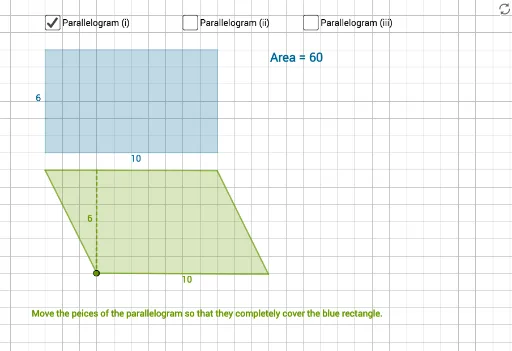
This example demonstrates how to calculate the area of a parallelogram by constructing it and dividing it into triangles. Key math concepts include parallelogram properties, triangle area formula, and geometric transformations. GeoGebra commands used in construction are Polygon, Point, Segment, Midpoint, Circle, Rotate, Angle, Ray, Intersect, OrthogonalLine, and Line. Suitable for middle school students and above learning the parallelogram area formula and geometric constructions.
GeoGebra Commands & Parameters
Polygon(A, B, C, D) → q1, a, b, c, dPoint(Circle[I, sqrt(45)]) → JSegment(I, J) → iMidpoint(I, J) → KCircle(K, J) → kRotate(J, atan(2), I) → J'Angle(J, I, J') → αRay(I, J') → jIntersect(k, j, 2) → LPolygon(I, L, J) → t1, j_1, i_1, lPoint(Circle[M, 6]) → NSegment(M, N) → nCircle(M, 7) → pOrthogonalLine(M, n) → qOrthogonalLine(N, n) → rIntersect(p, q, 2) → OOrthogonalLine(O, q) → sIntersect(r, s) → PRotate(P, atan(0.5), O) → P'Angle(P, O, P') → βRay(O, P') → tIntersect(r, t) → QPolygon(M, N, Q, O) → q3, m_1, n_1, q_1, oAngle(Q, N, M) → γPoint(Circle[E, 6]) → FSegment(E, F) → fOrthogonalLine(E, f) → gOrthogonalLine(F, f) → hPoint(h) → GPoint(Circle[G, 10]) → HSegment(G, H) → f_1Point(g) → RPoint(Circle[R, 10]) → SSegment(R, S) → g_1Polygon(G, R, S, H) → q2, g_2, r_1, s_1, h_1Angle(r_1, f) → δPoint(Circle[H_1, sqrt(116)]) → I_1Segment(H_1, I_1) → l_1Midpoint(H_1, I_1) → J_1Circle(J_1, I_1) → p_1Rotate(H_1, atan(2.5), I_1) → TAngle(H_1, I_1, T) → εRay(I_1, T) → t_1Intersect(p_1, t_1, 2) → UPolygon(H_1, I_1, U) → t2, u_1, h_2, i_2Point(Circle[V, 4]) → P_1Segment(V, P_1) → m_2Circle(P_1, sqrt(29)) → d_2Circle(V, sqrt(29)) → e_2Intersect(d_2, e_2, 1) → Q_1Line(Q_1, m_2) → n_2Segment(V, Q_1) → p_2Line(P_1, p_2) → q_2Intersect(n_2, q_2) → R_1Polygon(V, P_1, R_1, Q_1) → q5, v, p_3, r_2, q_3Point(Circle[S_1, 5]) → T_1Segment(S_1, T_1) → s_2OrthogonalLine(S_1, s_2) → t_2OrthogonalLine(T_1, s_2) → a_2Circle(S_1, 4) → c_3Intersect(c_3, t_2, 1) → U_1Circle(T_1, 2) → d_3Intersect(d_3, a_2, 1) → V_1Polygon(U_1, V_1, T_1, S_1) → q6, u_2, v_1, t_3, s_3Point(Circle[W, sqrt(29)]) → ZSegment(W, Z) → k_1Midpoint(W, Z) → A_1Circle(A_1, Z) → c_1Rotate(W, atan(2.5), Z) → W'Angle(W, Z, W') → ζRay(Z, W') → b_1Intersect(c_1, b_1, 2) → B_1Polygon(Z, B_1, W) → t3, w_1, z_1, b_2
AI Drawing Prompt Reference
Draw a parallelogram and divide it into two triangles. Start by creating four points A, B, C, and D, then use these points to create a parallelogram. Next, draw a circle with point C as the center and find point J on the circle. Connect I and J. Then, find the midpoint K of I and J, and draw a circle with K as the center. Rotate J around I by atan(2) to get J', and find the angle α between IJ'. Draw a ray from I to J', and find the second intersection point L with the circle K. Use I, L, and J to create a triangle. Continue drawing circles, rotating, and finding new intersection points and angles until the entire figure is completed.
The prompt above was compiled from the original drawing commands and is for reference only.