
Calculating a Shorter Side with Pythagoras' Theorem
Loading the math board and drawing, please wait…
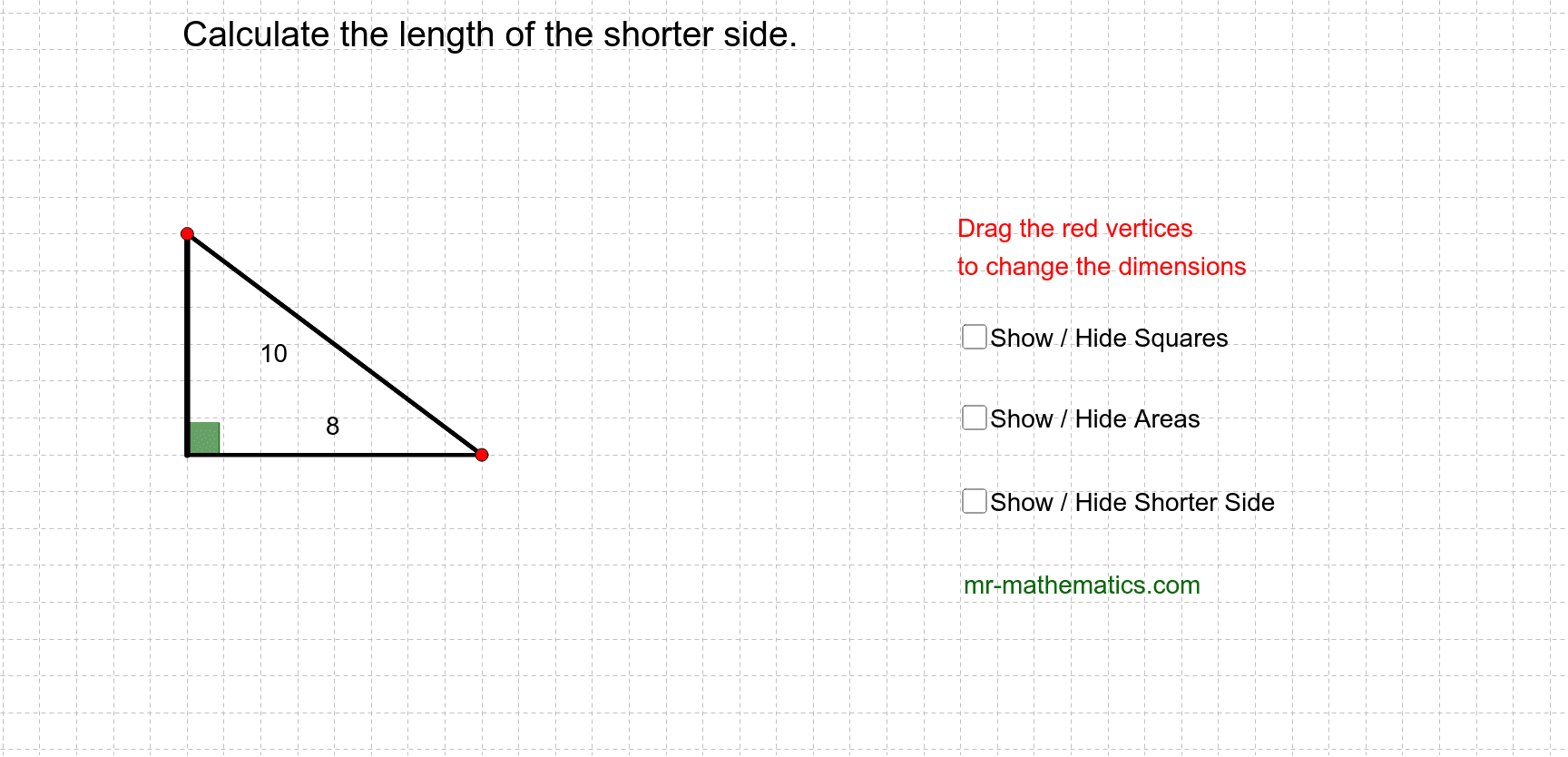
This example demonstrates how to use Pythagoras' Theorem to calculate the shorter side of a right-angled triangle. The core math concept involved is Pythagoras' Theorem. The construction utilizes commands/objects like Line, Point, Segment, Angle, Polygon, PointIn, and Intersect from GeoGebra. It is suitable for middle school and above students to understand and apply Pythagoras' Theorem in practical problems.
GeoGebra Commands & Parameters
Line(A, B) → aPoint(a) → CSegment(C, A) → bLine(A, D) → cPoint(c) → ESegment(E, A) → dSegment(C, E) → eAngle(E, A, C) → αPolygon(C, E, 4) → poly1, f, g, h, i, F, GPolygon(E, A, 4) → poly2, j, k, l, m, H, IPolygon(A, C, 4) → poly3, n, p, q, r, J, KLine(A_1, B_1) → a_1Point(a_1) → C_1Segment(C_1, A_1) → b_1Line(A_1, D_1) → c_1Point(c_1) → E_1Segment(E_1, A_1) → d_1Segment(C_1, E_1) → e_1Angle(E_1, A_1, C_1) → α_1PointIn(poly1) → Pointpoly1PointIn(poly2) → Pointpoly2PointIn(poly3) → Pointpoly3Segment(C, E) → f_1Intersect(b, d) → LSegment(L, C) → g_1
AI Drawing Prompt Reference
Draw a right-angled triangle with labeled legs and hypotenuse, demonstrating the Pythagorean theorem to calculate the shorter leg. Start by drawing the two legs and hypotenuse of the right-angled triangle, then take a point on one leg and connect it to the hypotenuse's endpoint to form a new triangle. Inside this new triangle, draw an inscribed square, and label the angles and the square in the original triangle. Finally, calculate the length of the shorter leg using the intersection point and display the result.
The prompt above was compiled from the original drawing commands and is for reference only.