
Building a Pyramid in GeoGebra: Faces and Edges
Loading the math board and drawing, please wait…
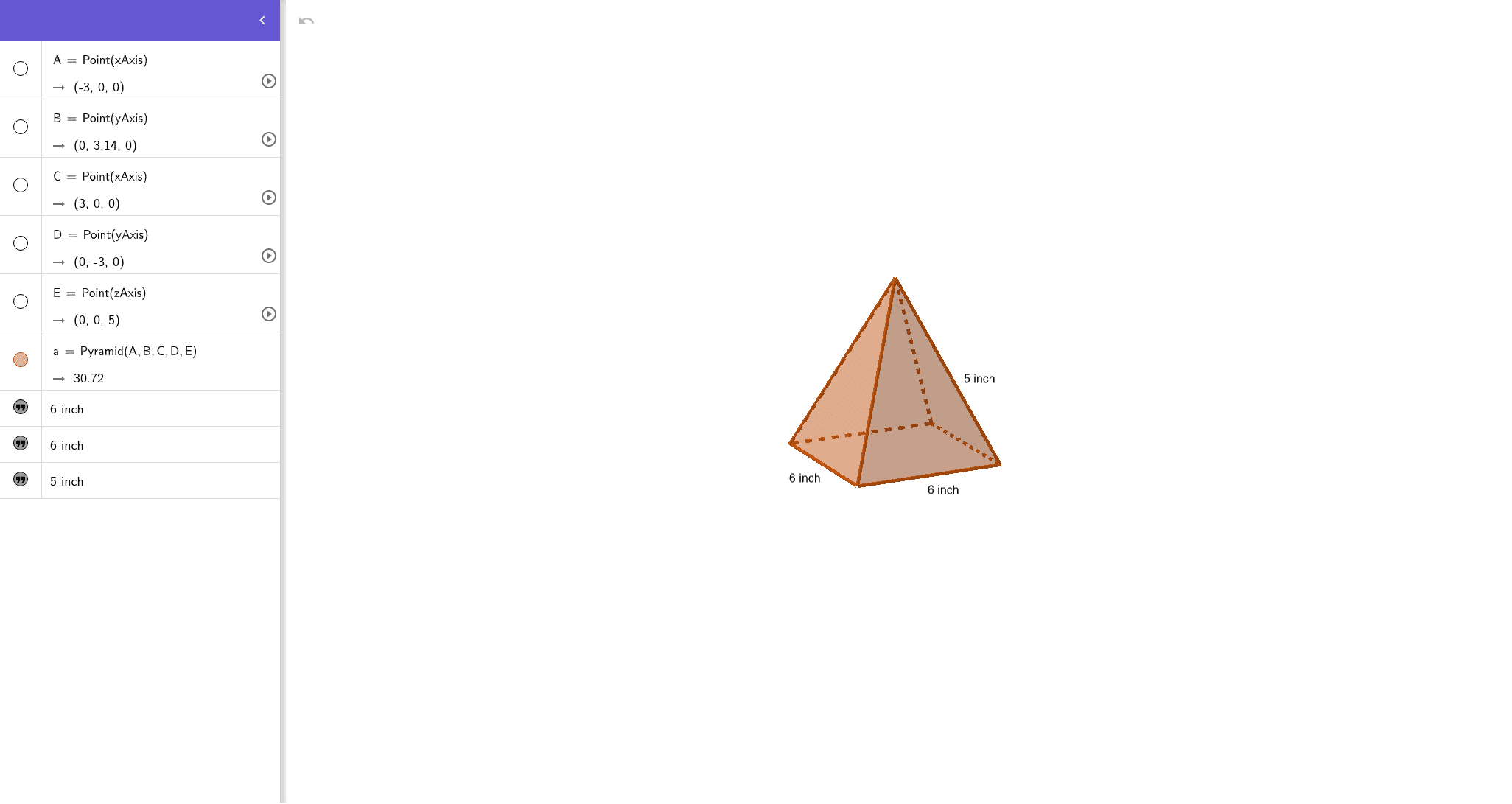
This example demonstrates how to construct a pyramid (a 3D polyhedron) in GeoGebra from a set of points, and how to visualize and label its faces and edges. It centers on solid geometry concepts: defining a polyhedron via vertices, understanding faces as planar regions and edges as line segments, and using real-number point placement for geometric modeling. The construction is built using the GeoGebra commands Point and Pyramid. First, Point creates the required vertices (e.g., A, B, C, D, E and an auxiliary point a). Then Pyramid uses those points to generate the pyramid’s faces (faceABCD, faceABE, faceBCE, faceCDE, faceADE) and its edges (edgeAB, edgeBC, edgeCD, edgeAD, edgeAE, edgeBE, edgeCE, edgeDE). Finally, text objects (text1, text2, text3) are used to annotate the diagram. Suitable for middle-school solid-geometry instruction, interactive classroom demonstrations, and introductory geometry visualization/modeling.
GeoGebra Commands & Parameters
Point(xAxis) → APoint(yAxis) → BPoint(xAxis) → CPoint(yAxis) → DPoint(zAxis) → EPyramid(A, B, C, D, E) → a, faceABCD, edgeAE, edgeBE, edgeCE, edgeDE, faceABE, faceBCE, faceCDE, faceADE, edgeAB, edgeBC, edgeCD, edgeAD
AI Drawing Prompt Reference
Draw a pyramid shape with five vertices. Vertices A, B, C, D are on the horizontal plane, and E is on the vertical axis. Connect these points to form the pyramid's faces and edges. Label each face and edge to help understand three-dimensional geometry.
The prompt above was compiled from the original drawing commands and is for reference only.