
Box in Two-Point Perspective
Loading the math board and drawing, please wait…
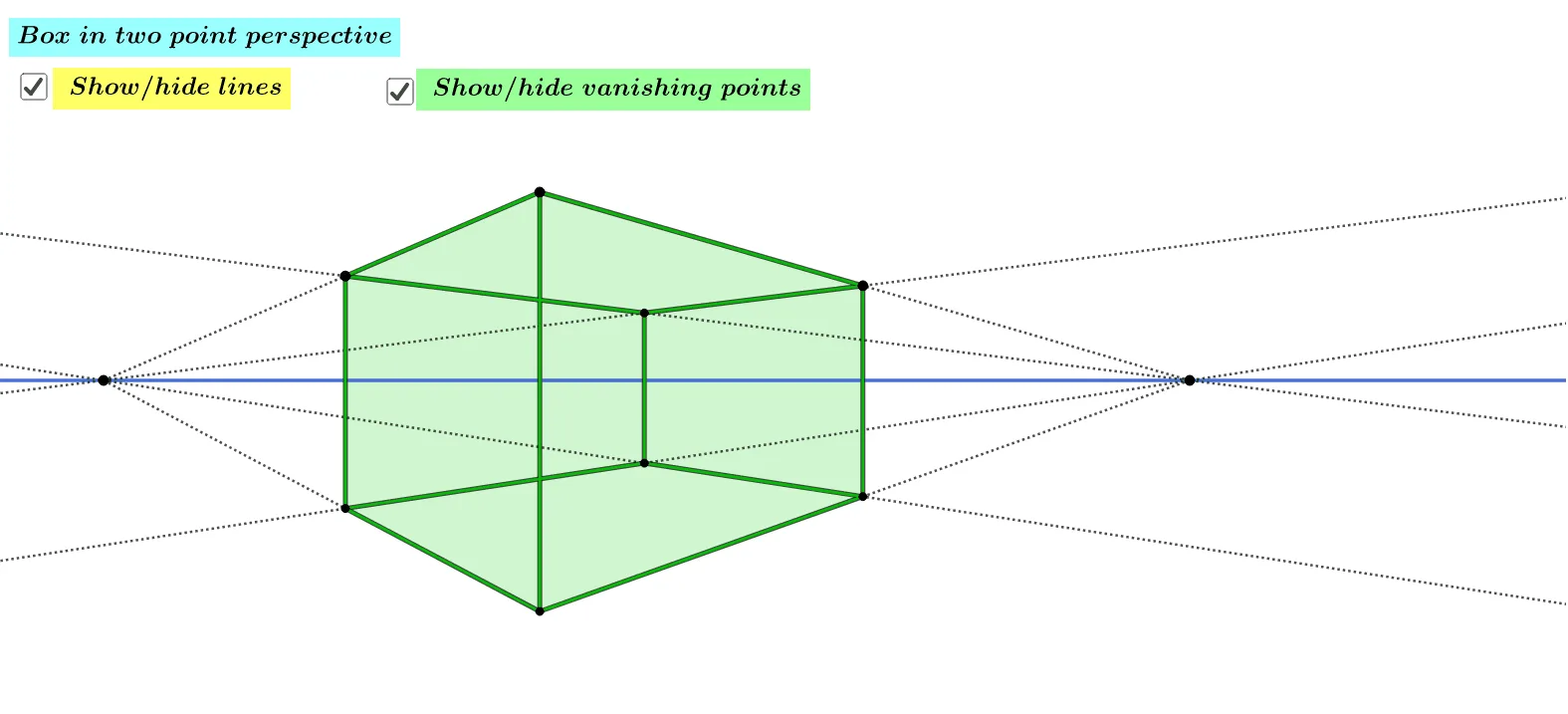
This example demonstrates how to construct a cube in two-point perspective. It involves core mathematical concepts such as geometric construction, perspective principles, and solid geometry. The construction uses commands like Line, Point, Intersect, Segment, and Polygon in GeoGebra. It is suitable for high school students to enhance spatial reasoning skills and understanding of 3D geometry.
GeoGebra Commands & Parameters
Line(A, B) → fPoint(yAxis) → CIntersect(xAxis, yAxis) → DSegment(C, D) → gSegment(A, C) → hSegment(A, D) → iSegment(B, C) → jSegment(B, D) → kPoint(h) → ELine(E, g) → lIntersect(l, i) → FPoint(j) → GLine(G, g) → mIntersect(m, k) → HSegment(E, F) → nSegment(G, H) → pSegment(F, D) → qSegment(C, E) → rSegment(C, G) → sSegment(D, H) → tLine(B, E) → aLine(A, G) → bIntersect(a, b) → ISegment(E, I) → cSegment(I, G) → dLine(B, F) → eLine(A, H) → f_1Intersect(e, f_1) → JSegment(F, J) → g_1Segment(J, H) → h_1Segment(J, I) → i_1Polygon(F, D, H, J) → q1, f_2, d_1, h_2, j_1Polygon(E, F, D, C) → q2, e_1, f_3, d_2, c_1Polygon(D, H, G, C) → q3, d_3, h_3, g_2, c_2Polygon(F, J, I, E) → q4, f_4, j_2, i_2, e_2Polygon(I, J, H, G) → q5, i_3, j_3, h_4, g_3Polygon(C, G, I, E) → q6, c_3, g_4, i_4, e_3
AI Drawing Prompt Reference
Draw a cube using two-point perspective, start by drawing base lines and parallel lines to establish the bottom and top faces of the cube, then connect the vertices to form the cube's sides, ensuring the perspective makes the shape appear three-dimensional.
The prompt above was compiled from the original drawing commands and is for reference only.