
Box and Whisker Plot: What Do You Notice?
Loading the math board and drawing, please wait…
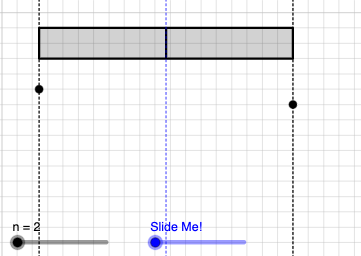
This example demonstrates the construction and interpretation of a Box and Whisker Plot, involving key statistical concepts like mean, median, quartiles, range, and random variable distributions. It utilizes commands such as Point, Sequence, BoxPlot, Sort, If, Intersect, Midpoint, Dilate, Segment, and Rotate in GeoGebra. Suitable for high school and above students learning statistics, data analysis, and visualization.
GeoGebra Commands & Parameters
Point(y = -1) → APoint(y = -2) → BPoint(y = -3) → CPoint(y = -4) → DPoint(y = -5) → EPoint(y = -6) → FPoint(y = -7) → GPoint(y = -8) → HPoint(y = -9) → IPoint(y = -10) → JSequence(x(Element[l1, i]), i, 1, n, 1) → l2, {0.4352114383390425, 17}BoxPlot(2, 1, l2) → aSort(l2) → l3If(round(n / 2, 0) ≟ n / 2, x = Element[l3, n / 2]) → eq6If(round(n / 2, 0) ≟ n / 2, x = Element[l3, n / 2 + 1]) → eq7Intersect(eq6, y = 0) → KIntersect(eq7, y = 0) → LMidpoint(K, L) → MDilate(K, If[0 < b ≤ 1, 1 - b, 0], M) → K'Segment(K, K') → fDilate(M, If[1 < b ≤ 2, 2 - b, 0], L) → M'Segment(M, M') → gRotate(K, If[2 < b ≤ 3, ((b - 2) * π), π], M) → K'_{1}Rotate(K', If[2 < b ≤ 3, ((b - 2) * π), π], M) → K''Segment(K'_{1}, K'') → f'
AI Drawing Prompt Reference
Draw a box plot with whiskers based on a dataset. Start by plotting several points along the vertical axis. Then, create a box representing the interquartile range and extend two lines (whiskers) from the box to represent the range of the data. Identify the median and connect it to the horizontal axis. Extend the whiskers from the box to the minimum and maximum values, ensuring they meet the axis at the correct points.
The prompt above was compiled from the original drawing commands and is for reference only.