
Bisection of Tangent Intersection
Loading the math board and drawing, please wait…
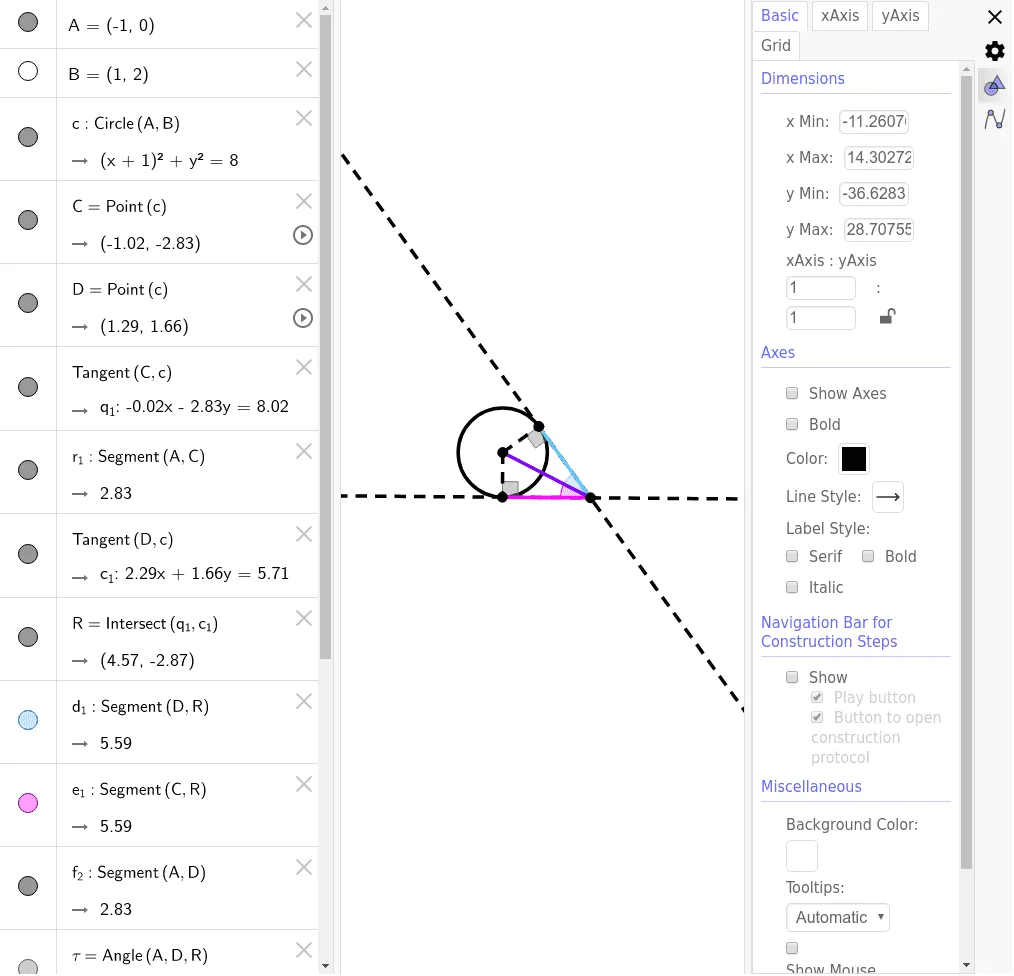
This example demonstrates the construction of the midpoint of the intersection of two tangents. It involves core mathematical concepts such as tangents, circles, intersection points, midpoints, and angles. The construction uses GeoGebra commands/objects like Circle, Point, Tangent, Segment, Intersect, and Angle. Suitable for high school mathematics teaching to understand tangent properties and geometric constructions.
GeoGebra Commands & Parameters
Circle(A, B) → cPoint(c) → CPoint(c) → DTangent(C, c) → q_1,Segment(A, C) → r_1Tangent(D, c) → c_1,Intersect(q_1, c_1) → RSegment(D, R) → d_1Segment(C, R) → e_1Segment(A, D) → f_2Angle(A, D, R) → τSegment(A, R) → g_2Angle(D, R, A) → υAngle(D, R, C) → ϕAngle(A, R, C) → χAngle(A, C, R) → α
AI Drawing Prompt Reference
Draw a circle and find two points on it. Draw tangents from these points to the circle, which intersect at a point. Connect the intersection point with the two points on the circle and the center of the circle. Label the angles formed to show the relationships between the tangents, circle, intersection point, segments, and angles.
The prompt above was compiled from the original drawing commands and is for reference only.