
Biped and Jug
Loading the math board and drawing, please wait…
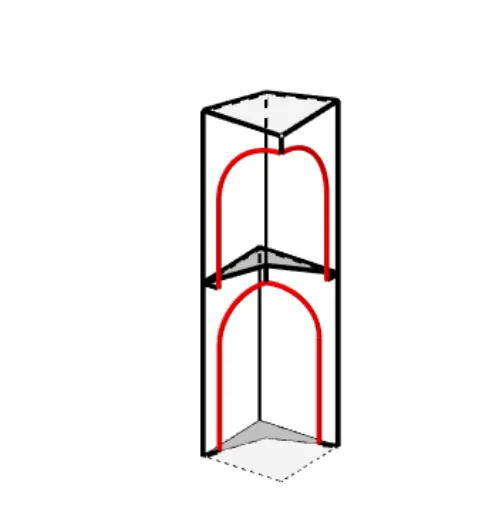
This example demonstrates how to draw a biped and jug using GeoGebra, involving core math concepts like coordinate geometry, geometric construction, vectors, and transformations. Key GeoGebra commands/objects used include Intersect, Point, Rotate, Segment, Polygon, Circle, Distance, CircleArc, Plane, Mirror, and Vector. Suitable for high school students learning geometric construction, vectors, and transformations.
GeoGebra Commands & Parameters
Intersect(xAxis, yAxis) → APoint(xAxis) → BPoint(yAxis) → DRotate(A, (-(22.5°)), B) → A'Segment(A', B) → fRotate(A, 22.5°, D) → A'_1Segment(D, A'_1) → gIntersect(f, g) → EPolygon(A, B, E, D) → vierhoek1, a, b, e, dCircle(B, 0.2) → cIntersect(c, b, 1) → FSegment(A, B) → hSegment(G, H) → iSegment(H, B) → jSegment(G, A) → kDistance(E, F) → lCircleArc(I, J, K) → boog0Segment(K, F) → vertmiddenSegment(B, F) → onderSegment(H, L) → bovenSegment(L, J) → vertkleinPlane(E, A, G) → diagSegment(G, M) → mSegment(M, D) → nMirror(boog0, diag) → boog0'Mirror(H, diag) → H'Mirror(L, diag) → L'Segment(H', L') → boven'Mirror(K, diag) → K'Mirror(F, diag) → F'Segment(K', F') → vertmidden'Mirror(B, diag) → B'Mirror(F, diag) → F'_1Segment(B', F'_1) → onder'Segment(L, O) → pSegment(N, H) → qSegment(P, M) → rSegment(O, N) → sSegment(O, P) → tSegment(N, Q) → boven1CircleArc(S, T, V) → boog1Segment(U, V) → vertmidden1Segment(U, H) → onder1Segment(T, Q) → vertklein1Mirror(boog1, diag) → boog1'Mirror(N, diag) → N'Mirror(Q, diag) → Q'Segment(N', Q') → boven1'Mirror(U, diag) → U'Mirror(V, diag) → V'Segment(U', V') → vertmidden1'Mirror(U, diag) → U'_1Mirror(H, diag) → H'_1Segment(U'_1, H'_1) → onder1'Segment(D, C) → f_1Segment(C, B) → g_1Vector(A, B) → uVector(A, D) → vVector(D, E) → wVector(B, E) → u_1Vector(B, C) → v_1Vector(D, C) → w_1Vector(L, M) → a_1Vector(L, H) → b_1Vector(H, R) → c_1Vector(M, R) → d_1Vector(A_1, W) → e_1Vector(A_1, Z) → h_1Polygon(G, H, L, M) → vierhoek2, g_2, h_2, l_1, m_1Polygon(B', E, B, C) → vierhoek3, b', e_2, b_2, c_2Polygon(P, O, N, Q') → vierhoek4, p_1, o_1, n_1, q'Point(boog1) → B_1Vector(B_1, T) → i_1Point(boog1') → C_1Vector(C_1, T) → j_1Point(boog0) → D_1Point(boog0') → E_1Vector(D_1, J) → k_1Vector(E_1, J) → q_1
AI Drawing Prompt Reference
Draw a biped and a jug, start by plotting coordinate axes and finding their intersection, then rotate one axis to create an angle and connect points with lines to form a quadrilateral, next draw a circle and locate its intersections with the lines, use rotations and reflections to create symmetrical shapes, and finally add arcs and lines to complete the jug's form, throughout the process apply vectors and planes for transformations.
The prompt above was compiled from the original drawing commands and is for reference only.