
Beautiful Regular Pentagon-B
Loading the math board and drawing, please wait…
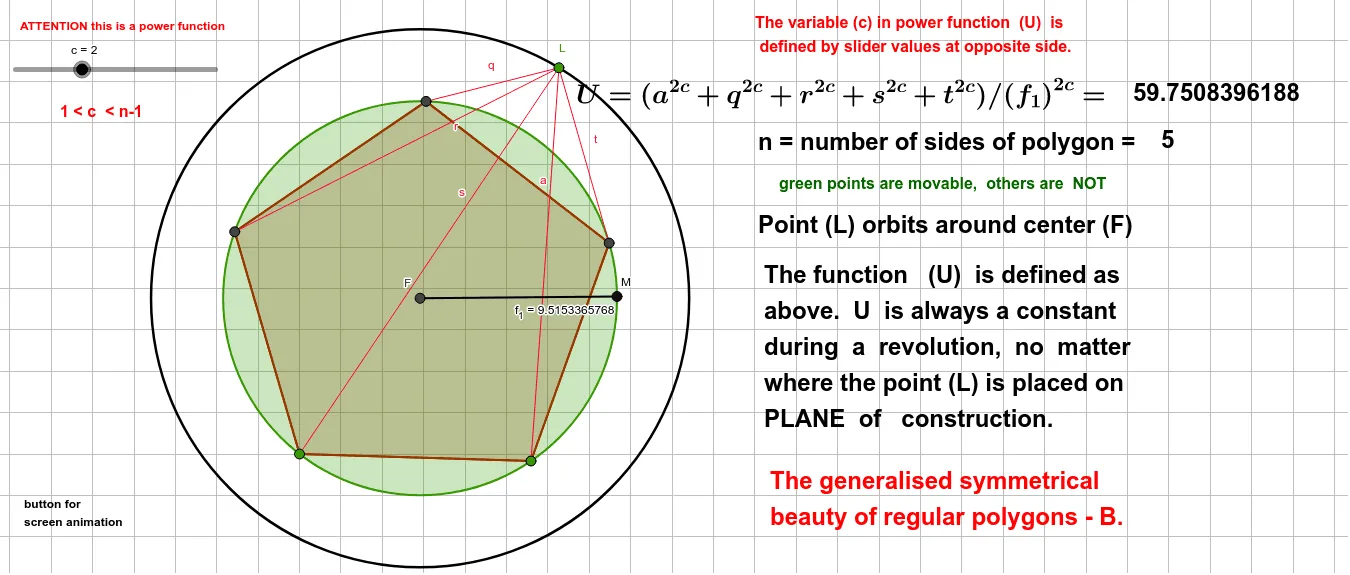
This example demonstrates the construction of a regular pentagon and its related geometric elements. Core math concepts include circle, circumcircle, polygons, symmetry, and geometric transformations. Construction highlights involve commands like Polygon, LineBisector, Intersect, Circle, Point, Segment in GeoGebra. Suitable for high school mathematics teaching or for geometry enthusiasts.
GeoGebra Commands & Parameters
Polygon(A, B, 5) → poly1, f, g, h, i, j, C, D, ELineBisector(E, A) → kLineBisector(E, D) → lIntersect(k, l) → FCircle(F, 13) → dPoint(d) → LSegment(L, D) → qSegment(L, E) → rSegment(L, A) → sSegment(L, B) → aSegment(L, C) → tLineBisector(C, D) → pIntersect(p, h) → ICircle(F, C) → ePoint(e) → MSegment(F, M) → f_1Intersect(l, i) → GIntersect(k, j) → HLineBisector(A, B) → mLineBisector(B, C) → nIntersect(n, g) → JIntersect(m, f) → K
AI Drawing Prompt Reference
Start with a regular pentagon. Construct the perpendicular bisectors of two adjacent sides; their intersection is the center of the circumcircle. Draw a large circle centered at this point. Pick a point on the circle and connect it to all five vertices of the pentagon, creating five segments. Then, for each side of the pentagon, draw its perpendicular bisector and mark its intersection with the corresponding side or diagonal. Next, draw another circle centered at the same center but passing through one vertex of the pentagon. Pick a point on this circle and connect it to the center. Finally, use the intersections of the perpendicular bisectors with the pentagon's sides to complete the internal symmetric pattern.
The prompt above was compiled from the original drawing commands and is for reference only.