
Bearings from A to B
Loading the math board and drawing, please wait…
In collections
Introduction to Angles
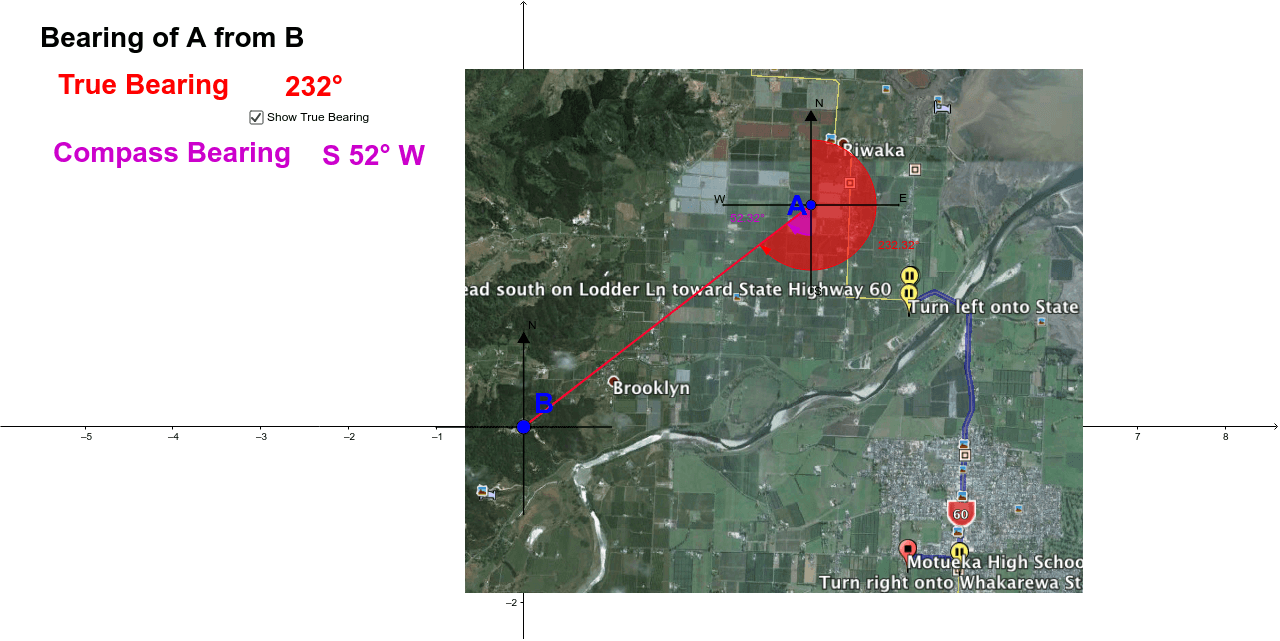
This example demonstrates the bearings from point A to point B. The core mathematical concepts involved are angles. Using GeoGebra commands such as Line, Point, Segment, Angle, etc., a line segment from A to B is constructed, and the bearings are labeled. Suitable for students at the junior high school level and above to learn about angles and bearings.
GeoGebra Commands & Parameters
Line(A, xAxis) → aLine(A, yAxis) → bPoint(b) → DPoint(b) → ESegment(D, E) → cPoint(a) → FPoint(a) → GSegment(F, G) → dLine(B, xAxis) → eLine(B, yAxis) → fPoint(f) → CPoint(e) → HPoint(f) → IPoint(e) → JSegment(C, I) → gSegment(H, J) → hSegment(A, B) → iAngle(i, c) → αAngle(i, c) → βSegment(A, D) → kAngle(D, A, B) → γSegment(A, F) → lAngle(B, A, D) → δAngle(c, i) → ε
AI Drawing Prompt Reference
Draw a line segment from point A to point B. From A and B, draw perpendiculars to the x-axis and y-axis, meeting at points D, E, C, and H respectively. Connect D to E and C to H to form two auxiliary line segments. From A, draw line segments to the perpendiculars a and d, meeting at points F and G. Repeat the perpendicular construction from B to get points I and J, and connect I to J. Label the angles formed by the line segment A-B and the auxiliary segments D-E, C-I, H-J as α, β, γ, δ, ε to demonstrate the relationship between angles and coordinate geometry.
The prompt above was compiled from the original drawing commands and is for reference only.