
Base Between Two Parallelograms and Right Triangles
Loading the math board and drawing, please wait…
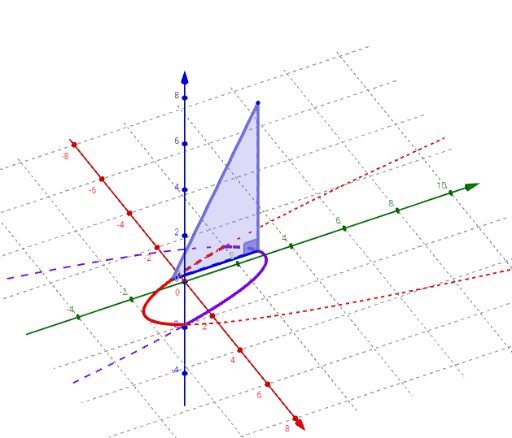
This example demonstrates the common base between two parallelograms and the right triangles formed by this base. Key mathematical concepts include triangles, parallelograms, and right triangles. Using GeoGebra commands such as Polygon, Locus, and Integral, dynamic displays of these geometric shapes and their properties and relationships are shown. Suitable for middle school and above students to learn about geometry and triangle-related knowledge.
GeoGebra Commands & Parameters
Polygon(B, A, C) → Triangle, c_1, b_1, a_1Angle(B, A, C) → αLocus(C, a) → loc1Integral((4 + (2 * x) - (2 * x^(2)))^(2), -1, 2) → IntegIf(togDF ≟ 1, "Show Instructions", "Show volume integral") → ToggleDirectionVolumeIntegralIf(togS ≟ 1, "Hide surface", "Show surface") → ShowSurfaceSurface(u, (v * f(u)) + ((1 - v) * g(u)), 0, u, -1, 2, v, 0, 1) → BaseSurface(u, g(u), ((2 * v) * (g(u) - f(u))), v, 0, 1, u, -1, 2) → SurfaceBackSurface(u, (v * f(u)) + ((1 - v) * g(u)), (2 * ((v * f(u)) + ((1 - v) * g(u)) - f(u))), v, 0, 1, u, -1, 2) → SurfaceFrontSequence(Polygon[(-1 + (k * h), f(-1 + ((k + p) * h))), (-1 + (k * h), g(-1 + ((k + p) * h))), (-1 + ((k + 1) * h), g(-1 + ((k + p) * h))), (-1 + ((k + 1) * h), f(-1 + ((k + p) * h)))], k, 0, m - 1) → SlicesBaseSequence(Polygon[(-1 + (k * h), f(-1 + ((k + p) * h)), 0), (-1 + (k * h), g(-1 + ((k + p) * h)), 0), (-1 + (k * h), g(-1 + ((k + p) * h)), ht(-1 + ((k + p) * h)))], k, 0, m - 1) → SidesLeftSequence(Polygon[(-1 + ((k + 1) * h), f(-1 + ((k + p) * h)), 0), (-1 + ((k + 1) * h), g(-1 + ((k + p) * h)), 0), (-1 + ((k + 1) * h), g(-1 + ((k + p) * h)), ht(-1 + ((k + p) * h)))], k, 0, m - 1) → SidesRightSequence(Surface[-1 + ((k + u) * h), (v * g(-1 + ((k + p) * h))) + ((1 - v) * f(-1 + ((k + p) * h))), (v * ht(-1 + ((k + p) * h))), u, 0, 1, v, 0, 1], k, 0, m - 1) → SlicesTopSequence(Surface[-1 + ((k + u) * h), g(-1 + ((k + p) * h)), (v * ht(-1 + ((k + p) * h))), u, 0, 1, v, 0, 1], k, 0, m - 1) → SlicesBackSequence(Area[Element[SidesLeft, k]], k, 1, m) → Areas
AI Drawing Prompt Reference
Draw two parallelograms sharing a common base and form right triangles on this base. First, draw the base AB, then construct two parallelograms with AB as the base. Next, take a point C on the base and connect AC and BC to form a right triangle. Finally, use the Locus command to show the locus of the base.
The prompt above was compiled from the original drawing commands and is for reference only.