
ASA Triangle Angle-Side-Angle using Sliders
Loading the math board and drawing, please wait…
In collections
IMP2GBD
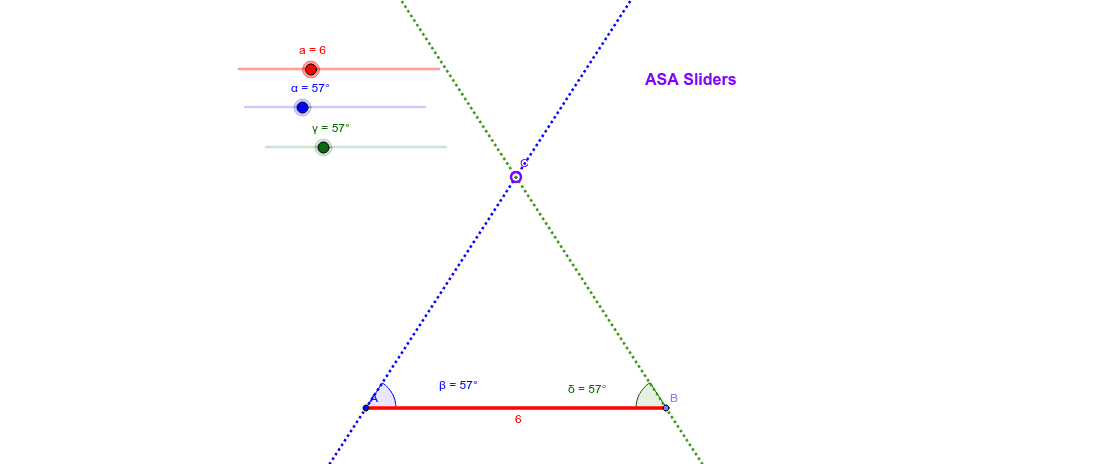
①This example demonstrates the construction of a triangle given two angles and the included side (ASA) using interactive sliders to adjust the angles and side length. ②The core mathematical concept is the ASA congruence criterion in triangle geometry, which states that two angles and the included side uniquely determine a triangle, along with angle measurement and geometric construction principles. ③Construction details: Based on the summary, the GeoGebra commands used include Point, Segment, Rotate, Angle, Line, and Intersect. Objects such as a, b_1, α, γ, A, b_2, B, b, B', β, c, A', δ, d, C, and text1 are created. Sliders control angles α and γ and side b, while rotation and intersection operations generate the triangle vertices. ④This resource is suitable for middle school geometry classes or high school review, helping students understand the ASA theorem and explore how changing angles or side lengths affects the triangle's shape, as well as serving as a dynamic demonstration of geometric construction.
GeoGebra Commands & Parameters
Point(Circle[A, abs(a)]) → BSegment(A, B) → bRotate(B, α, A) → B'Angle(B, A, B') → βLine(A, B') → cRotate(A, (-γ), B) → A'Angle(A', B, A) → δLine(A', B) → dIntersect(d, c) → C
AI Drawing Prompt Reference
Draw a triangle with two sliders to control the angles and one side length, demonstrating the ASA congruence theorem. Start by drawing a side, then determine the positions of the other two vertices based on the two angles and the side, and finally connect the three vertices to form the triangle.
The prompt above was compiled from the original drawing commands and is for reference only.