
Array Multiplication Demonstration
Loading the math board and drawing, please wait…
In collections
Grade 4
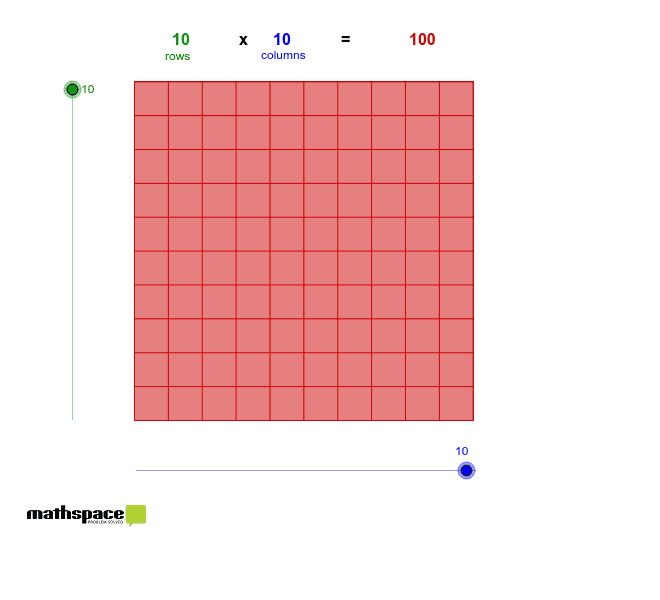
This example demonstrates the concept of array multiplication through geometric visualization. It involves core mathematical concepts such as multiplication, rectangle, ellipse, upper and lower sum or Riemann sum, percentages, and geometric distribution. The construction utilizes GeoGebra commands and objects like Point, Segment, OrthogonalLine, Circle, Intersect, Line, Polygon, and Sequence. Suitable for middle school and above, it helps in understanding the connection between multiplication and geometric shapes.
GeoGebra Commands & Parameters
Point(Circle[A, Columns]) → BSegment(A, B) → aOrthogonalLine(A, a) → bOrthogonalLine(B, a) → cCircle(A, Rows) → dIntersect(d, b, 2) → CLine(C, a) → eIntersect(c, e) → DPolygon(A, B, D, C) → poly1, a_1, b_1, d_1, c_1Sequence(Segment[A + i * (1, 0), C + i * (1, 0)], i, 1, Columns) → list1Sequence(Segment[A + i * (0, 1), B + i * (0, 1)], i, 1, Rows) → list2
AI Drawing Prompt Reference
Create a geometric visualization to demonstrate the concept of array multiplication, featuring a rectangle and multiple ellipses to illustrate the connection between multiplication and geometric shapes. Begin by drawing a rectangle, then add parallel line segments inside to form a grid structure, and finally connect points on the diagonals with ellipses to create a dynamic geometric distribution.
The prompt above was compiled from the original drawing commands and is for reference only.