
Arithmetic Series Visual
Loading the math board and drawing, please wait…
In collections
Grade 12 PreCalculus BC
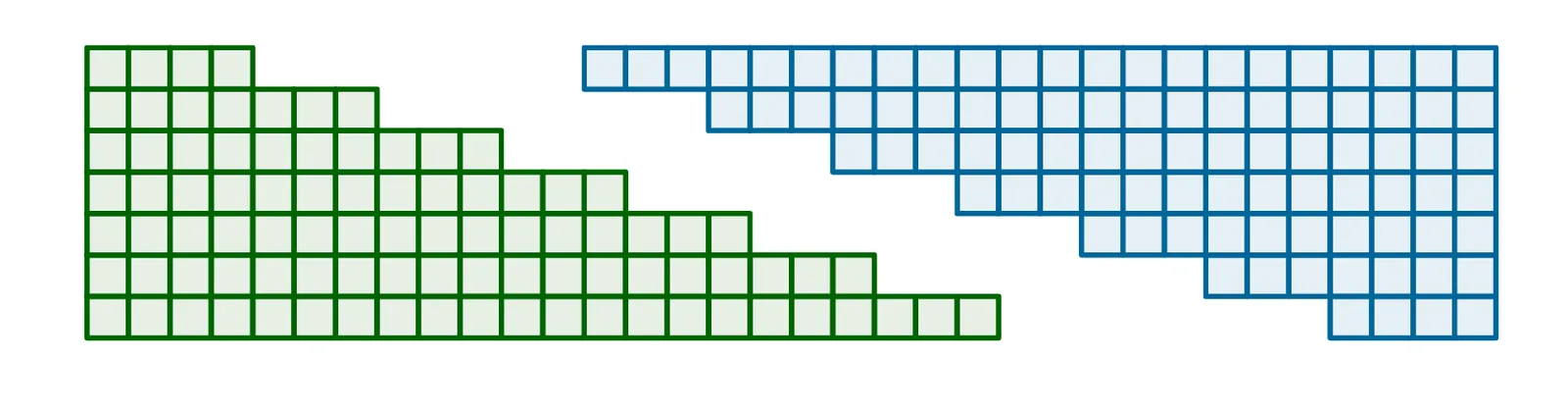
This example demonstrates the geometric representation of arithmetic series using GeoGebra. Key mathematical concepts include arithmetic sequences and linear transformations. Construction involves commands like Rotate, Segment, and Sequence. Suitable for middle school students learning the application of sequences in geometry.
GeoGebra Commands & Parameters
Rotate(P2, an, RP) → P2'Segment(P1, P5) → gSequence(Sequence[Polygon[(n, m), (n + 1, m), 4], n, 1, last - (m * d)], m, 1, rows) → l6Rotate(l6, 180°, RP2) → l6'Vector((4, 0), (4 - a, 0)) → uTranslate(l6', u) → l6''
AI Drawing Prompt Reference
Create a geometric visualization of an arithmetic series. Start by drawing a staircase-like arrangement of squares on a coordinate plane, with each row containing fewer squares than the one below, forming a triangular stack. Then rotate this entire stack 180 degrees around a central point and translate it horizontally so it interlocks with the original stack, creating a parallelogram-like shape. Add a line segment connecting key vertices of the figure and an arrow vector indicating the horizontal shift. The final diagram should clearly illustrate the sum of an arithmetic sequence through area.
The prompt above was compiled from the original drawing commands and is for reference only.