
Areas & Volumes: Culminating Activity
Loading the math board and drawing, please wait…
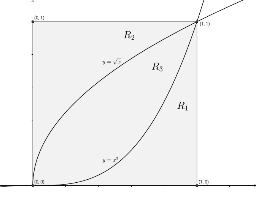
This GeoGebra example is a culminating activity that integrates area, volume, and definite integral concepts in an interactive geometric environment. It demonstrates how to construct a dynamic figure using function graphs, polygons, and segments, then compute areas of planar regions and volumes via integration. Core mathematical concepts include definite integrals, limits, function graphing, quadrilateral areas, and volume as an integral. The construction uses GeoGebra commands such as Intersect, Polygon, and Segment, along with objects like points A, B, C, D, functions f and g, polygon poly1, and auxiliary segments and text labels (text1, text2, text3, etc.) to annotate and dynamically display results. This activity is suitable for advanced high school or introductory college calculus students as a summative task, helping them intuitively connect integration with geometric measurement.
GeoGebra Commands & Parameters
Intersect(c, d) → AIntersect(a, d) → BIntersect(a, b) → CIntersect(b, c) → DPolygon(A, B, C, D) → poly1, a_1, b_1, c_1, d_1Segment(B, C) → eSegment(C, D) → hSegment(D, A) → iSegment(A, B) → j
AI Drawing Prompt Reference
Create a dynamic geometric environment with two intersecting function graphs forming four points. Connect these points to form a quadrilateral. Inside the quadrilateral, draw line segments connecting the midpoints of opposite sides, creating two triangles. Label the areas of the quadrilateral and triangles, and use integrals to calculate the areas and volumes, demonstrating the application of integrals, limits, and function graphs in geometry.
The prompt above was compiled from the original drawing commands and is for reference only.