
Area with Units of Measurement
Loading the math board and drawing, please wait…
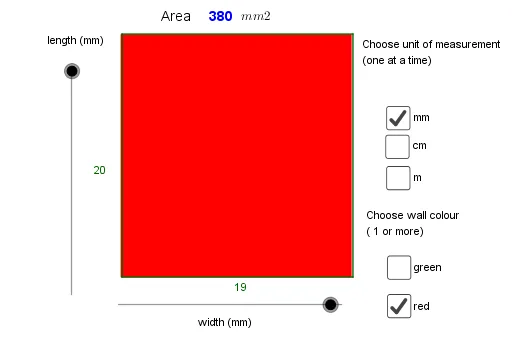
This example demonstrates how to use GeoGebra to draw areas with unit measurements. Key mathematical concepts include area calculation and unit conversion. Using commands like Sequence and Polygon, different shapes can be constructed and their areas measured. Suitable for middle school and above students to learn geometry and unit conversion.
GeoGebra Commands & Parameters
Sequence((x(A) + (unitsize * i), y(A)), i, 1, width) → list1Sequence((x(A) + (unitsize * i), y(A) + (length * unitsize)), i, 1, width) → list2Sequence((x(A), y(A) + (unitsize * i)), i, 1, length) → list3Sequence((x(A) + width, y(A) + (unitsize * i)), i, 1, length) → list4Polygon(A, Element[list1, width], Element[list2, width], Element[list3, length]) → poly1, a1, b, c, dSequence((x(A_1) + (unitsize * i), y(A_1)), i, 1, width) → list1_1Sequence((x(A_1) + (unitsize * i), y(A_1) + (length * unitsize)), i, 1, width) → list2_1Sequence((x(A_1), y(A_1) + (unitsize * i)), i, 1, length) → list3_1Polygon(A_1, Element[list1_1, width], Element[list2_1, width], Element[list3_1, length]) → poly1_2, a_1, b_1, c_1, d_1
AI Drawing Prompt Reference
Draw a figure composed of multiple small rectangles, each positioned and sized using coordinates, with unit measurements labeled to demonstrate area calculation and conversion. First, draw a rectangle, then draw another rectangle to its right. Generate vertex coordinates for the rectangles using sequence commands, connect the vertices to form closed shapes with the polygon command, and label the area and unit length of each shape. Finally, show the area calculation and unit conversion process for both shapes.
The prompt above was compiled from the original drawing commands and is for reference only.