
Area of a Triangle (Discovery) by Tim Brzezinski
Loading the math board and drawing, please wait…
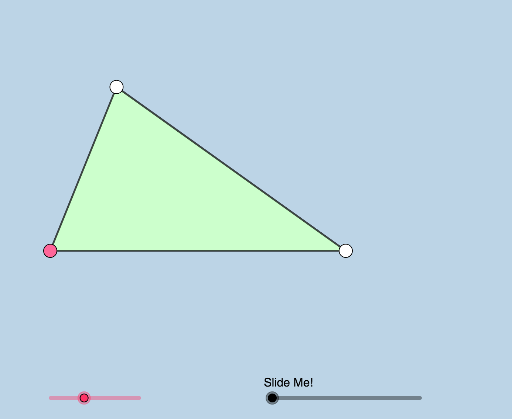
① This applet demonstrates the area of a triangle with draggable vertices, allowing students to meaningfully discover the formula for the area of a triangle. ② Core mathematical concepts include the triangle area formula (S = ½ × base × height), geometric measurement, and dynamic transformation. ③ Construction highlights: uses GeoGebra commands such as Polygon to create the triangle, Point and Line to define base and height, Rotate, Translate, and Dilate to generate auxiliary figures, and Angle, Midpoint, Segment for measurement and visualization; sliders or vertex dragging enable dynamic exploration. ④ Suitable for middle school geometry classes or high school review, ideal for inquiry-based learning and teacher demonstrations to help students derive the formula from hands-on interaction.
GeoGebra Commands & Parameters
Rotate(A, (a * π / 180), B) → A'Angle(A, B, A') → αRay(B, A') → fPoint(f) → CPolygon(A, B, C) → t1, c, a_1, bCircle(B, (0.25 * Min[c, a_1])) → dCircle(C, 1) → eIntersect(e, f, 2) → DRay(C, D) → gSegment(A, B) → hSegment(C, B) → iSegment(C, A) → jMidpoint(j) → ELine(C, h) → kCircle(C, h) → pIntersect(p, k, 1) → FRay(A, F) → lRay(C, F) → mIntersect(d, h, 1) → GRotate(A, If[0 < n ≤ 1, (n * π), π], E) → A'_1Rotate(B, If[0 < n ≤ 1, (n * π), π], E) → B'Rotate(C, If[0 < n ≤ 1, (n * π), π], E) → C'Polygon(A'_1, B', C') → t1', c', a'_1, b'Segment(A'_1, C') → qSegment(C', B') → rSegment(B', A'_1) → sCircle(F, 1) → tIntersect(t, m, 2) → HIntersect(t, l, 2) → IRay(F, H) → f_1Ray(F, I) → g_1Rotate(G, If[1 < n ≤ 2, (((n - 1) * a) * π / 180), (a * π / 180)], B) → G'CircleSector(B, G, G') → c_1Dilate(B, If[2.5 < n ≤ 3.5, 3.5 - n, 0], C) → B'_1Vector(B, B'_1) → uTranslate(c_1, u) → d_1Dilate(C, If[3.5 < n ≤ 4.5, 4.5 - n, 0], F) → C'_1Vector(C, C'_1) → vTranslate(d_1, v) → e_1
AI Drawing Prompt Reference
Draw a dynamic triangle with draggable vertices to explore its area. Start with a base segment and a rotating ray from one endpoint to define the third vertex, forming the triangle. Show the altitude from the opposite vertex to the base. Use auxiliary circles and rays to illustrate the area derivation. Include a slider that sequentially rotates, translates, and scales the triangle to transform it into a parallelogram or rectangle, visually comparing areas. The final figure demonstrates that the triangle's area equals half the base times the height.
The prompt above was compiled from the original drawing commands and is for reference only.