
Area of a Trapezoid: Dynamic Construction and Derivation
Loading the math board and drawing, please wait…
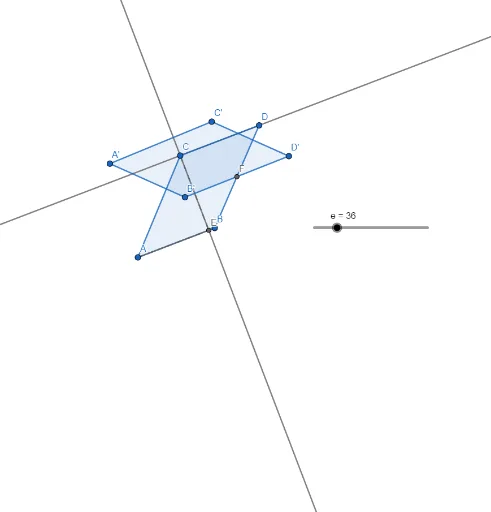
This GeoGebra example dynamically demonstrates the derivation of the trapezoid area formula by rotating and rearranging parts to form a parallelogram or rectangle, making the area relationship visually intuitive. Core mathematical concepts include trapezoid properties, area calculation, geometric transformations (rotation), midpoints, perpendicular lines, and polygon area, with additional elements such as the unit circle, functions, and dilation to enrich the exploration. The construction uses GeoGebra commands including Segment, OrthogonalLine, Point, Intersect, Polygon, Midpoint, and Rotate, creating trapezoid ABCD with auxiliary lines and a rotated copy q1' to visualize the area equivalence. This resource is suitable for middle school geometry lessons on trapezoid area, as well as high school review of transformations and area, and serves as a valuable template for teachers creating dynamic demonstrations.
GeoGebra Commands & Parameters
Segment(A, B) → fOrthogonalLine(C, f) → gOrthogonalLine(C, g) → hPoint(h) → DIntersect(f, g) → EPolygon(A, B, D, C) → q1, a, b, d, cSegment(A, E) → iSegment(C, E) → jMidpoint(D, B) → FRotate(A, (-(45°)), F) → A'Rotate(B, (-(45°)), F) → B'Rotate(D, (-(45°)), F) → D'Rotate(C, (-(45°)), F) → C'Polygon(A', B', D', C') → q1', a', b', d', c'