
Area of a Trapezoid by Guillermo Bautista
Loading the math board and drawing, please wait…
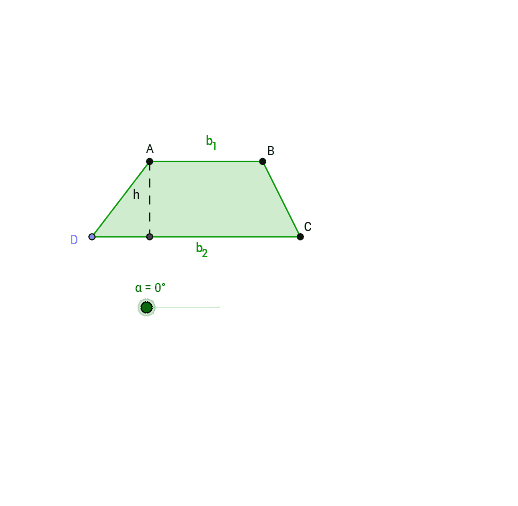
This example demonstrates the calculation of a trapezoid's area through graphical representation. Key math concepts include trapezoids, triangles, coordinate geometry, and differential calculus. GeoGebra commands and objects used in the construction are Ray, Point, Polygon, OrthogonalLine, Intersect, Segment, Midpoint, and Rotate. Suitable for high school mathematics teaching or self-study to understand the geometric derivation of the trapezoid area formula.
GeoGebra Commands & Parameters
Ray(C_1, E) → bPoint(b) → DPolygon(A, D, C, B) → poly1, a_1, b_2, d, b_1OrthogonalLine(A, b) → aIntersect(b, a) → FSegment(A, F) → hMidpoint(d) → GRotate(A, -α, G) → A'Rotate(D, -α, G) → D'Rotate(C, -α, G) → C'Rotate(B, -α, G) → B'Polygon(A', D', C', B') → poly1', a', d', c', b'
AI Drawing Prompt Reference
Draw a trapezoid and show the calculation of its area. Start by drawing the two parallel sides of the trapezoid and marking the height. Then, rotate the trapezoid by an angle to create a new one, and compare the areas of the two trapezoids to illustrate the area formula graphically.
The prompt above was compiled from the original drawing commands and is for reference only.