
Area of a Trapezium by James Pearce
Loading the math board and drawing, please wait…
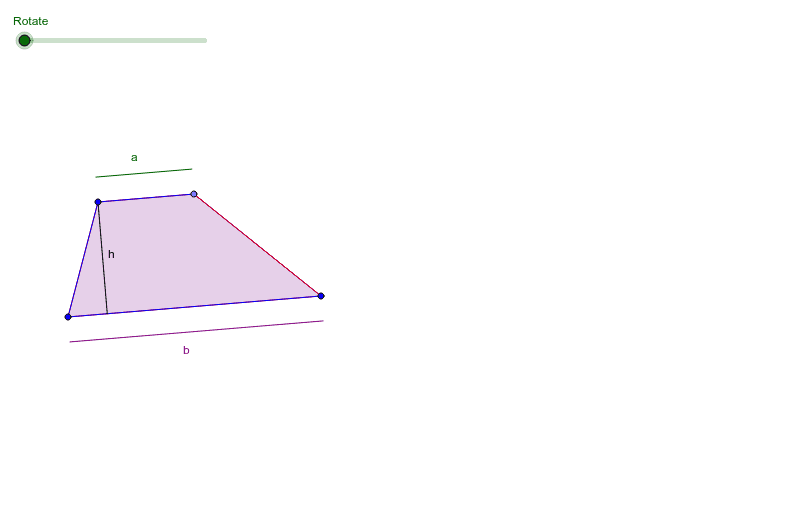
This example demonstrates the calculation of a trapezium's area. Key mathematical concepts include the properties and area formula of a trapezium. Using commands like constructing midlines, rotating, and translating, the process of calculating the trapezium's area is visually demonstrated. Suitable for middle and high school students learning geometric construction and area calculation.
GeoGebra Commands & Parameters
Line(C, B) → b_2Line(A, b_2) → cPoint(c) → DPolygon(A, B, C, D) → poly1, a_1, b_1, c_1, dMidpoint(c_1) → ERotate(A, α, E) → A'Rotate(B, α, E) → B'Rotate(C, α, E) → C'Rotate(D, α, E) → D'Polygon(A', B', C', D') → poly1', a', b', c', d'OrthogonalLine(A, b_1) → eIntersect(e, b_1) → FCircle(B, (a_3 * (d + b_1))) → fLine(B, b_1) → gIntersect(f, g) → G, HVector(B, F) → uVector(F, A) → vTranslate(H, u) → H'Vector(H, H') → wTranslate(H', v) → H''Vector(H', H'') → h_2Polygon(H, H', H'') → poly2, h'', h_1, h'Polygon(A, F, C, D) → poly3, a_2, f_1, c_2, d_1Segment(A, F) → hCircle(A, 0.5) → kIntersect(k, e, 2) → ICircle(F, 0.5) → pIntersect(p, b_2) → J, KVector(F, H') → jVector(F, A) → lTranslate(K, l) → K'Vector(K, K') → mTranslate(I, j) → I'Vector(I, I') → nSegment(K', K) → h_4Vector(A, D) → sTranslate(I, s) → I'_1Vector(I, I'_1) → tSegment(I, I'_1) → aSegment(I'_1, I') → bLine(B, h) → g_1Circle(B, 0.5) → k_1Intersect(k_1, g_1, 2) → LVector(B, C) → u_1Translate(L, u_1) → L'Vector(L, L') → v_1Segment(L, L') → b_3
AI Drawing Prompt Reference
Draw a trapezoid and demonstrate the calculation of its area. Start by constructing the trapezoid, then find the midline and rotate a part of the trapezoid. Draw the rotated trapezoid and the perpendicular line from the midpoint. Use these points to draw auxiliary circles and lines. Finally, show the area calculation by translating and connecting these points.
The prompt above was compiled from the original drawing commands and is for reference only.