
Area of Circle by Inscribed Polygons
Loading the math board and drawing, please wait…
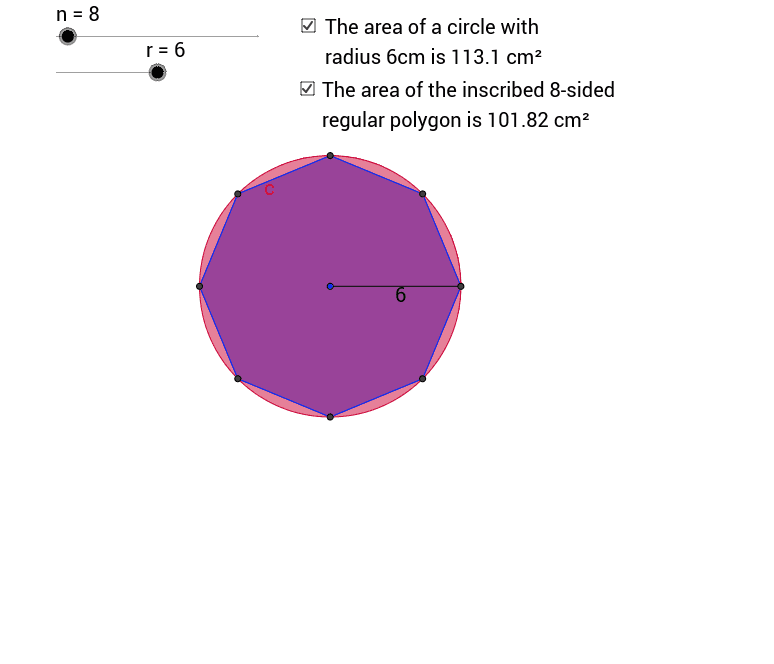
This example demonstrates how the area of an inscribed polygon approaches the area of a circle as the number of sides increases. Key mathematical concepts include the area of a circle, the area of a polygon, and the concept of limits. Using GeoGebra commands such as Circle, Rotate, and Polygon, you can dynamically adjust the number of sides of the polygon and observe the changes in its area. Suitable for high school mathematics education, particularly in coordinate geometry and calculus courses.
GeoGebra Commands & Parameters
Circle(A, r) → cRotate(B, (360 / n)°, A) → B'Polygon(B, B', n) → poly1, a, D, E, F, G, H, b, d, e, f, g, h, l, CSegment(A, B) → k
AI Drawing Prompt Reference
Draw a circle c, then rotate a point B around the center A to create an n-sided polygon poly1. Gradually increase the value of n and observe how the area of the polygon approaches the area of the circle.
The prompt above was compiled from the original drawing commands and is for reference only.