
Dynamic Construction of Regular Polygons
Loading the math board and drawing, please wait…
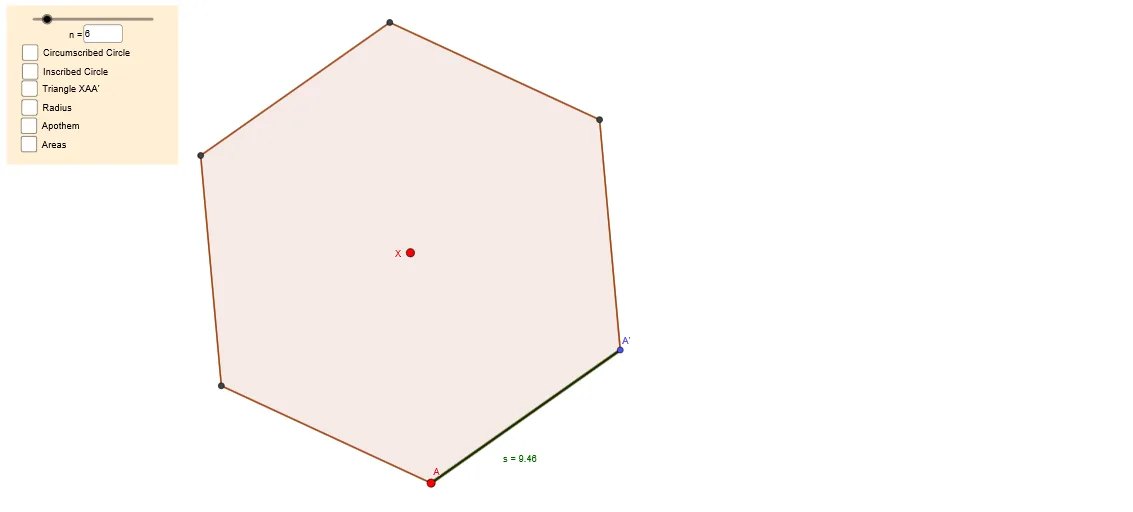
This GeoGebra example dynamically constructs regular polygons with variable numbers of sides, illustrating their symmetry, angular properties, and area behavior. Core mathematical concepts include planar geometry, rotational transformations, the relationship between circles and polygons, and limit processes where increasing side count approximates a circle. Construction utilizes GeoGebra commands such as Circle, Rotate, Polygon, Segment, and Midpoint, with key parameters n (number of sides) and r (radius) driving the model. The activity is suitable for middle to high school geometry classes and can bridge into calculus introductions on limits and area approximation. It enables teachers to demonstrate symmetry and area convergence, while students interact with parameters to explore continuous shape changes.
GeoGebra Commands & Parameters
Segment(A, X) → rCircle(X, A) → cRotate(A, (360°) / n, X) → A'Polygon(A, A', n) → poly1, s, r_2, s_2, t, a_2, b, d, e, f_1, g_1, h_1, h, i_1, j_1, k_1, l_1, m_1, n_1, p_1, q_1, r_1, s_1, i, t_1, B, C, D, E, F, G, H, I, J, j, K, L, M_1, N, O, P, Q, R, S, T, k, U, V, W, Z, A_1, B_1, C_1, D_1, E_1, l, m, p, qPolygon(X, A, A') → t1, a', x_1, a_1Midpoint(A, A') → MSegment(X, M) → aSegment(A, A') → fAngle(X, M, A) → αCircle(X, M) → gArea(c) → b_1PointIn(c) → PointcPointIn(poly1) → Pointpoly1Area(g) → c_1PointIn(g) → PointgTextfield(n) → InputBox1
AI Drawing Prompt Reference
Draw a regular polygon with adjustable sides, controlled by an input box. First, draw a circle and its center. Then, rotate the center point by the angle corresponding to the number of sides to get the vertices of the polygon. Connect these vertices to form the polygon. Also, draw the incircle of the polygon, calculate and display the area of the circle and the polygon.
The prompt above was compiled from the original drawing commands and is for reference only.