
Area of a Rhombus
Loading the math board and drawing, please wait…
In collections
geometriadinamica.es
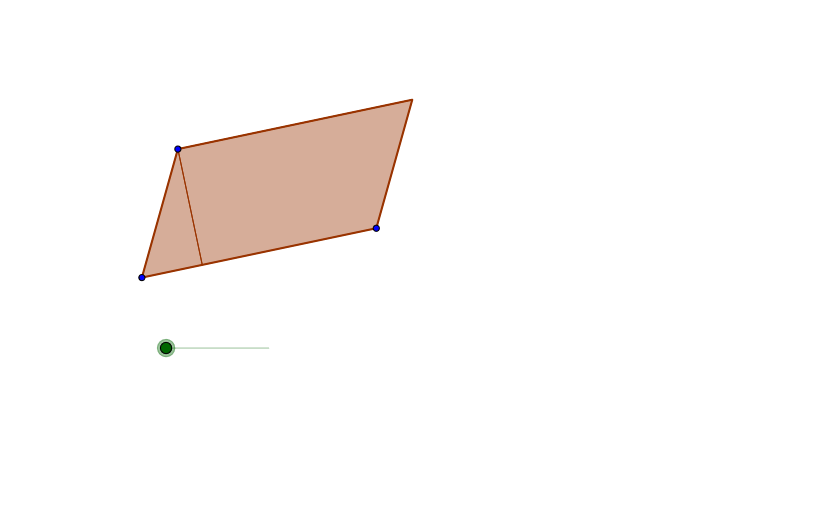
This example demonstrates how to calculate the area of a rhombus. It involves the core geometric concept of calculating the area of a rhombus. The example uses GeoGebra commands and objects, including Segment, Line, Intersect, Polygon, OrthogonalLine, Circle, Vector, and Translate. This example is suitable for middle school or high school students learning how to calculate the area of a rhombus.
GeoGebra Commands & Parameters
Segment(A, B) → aSegment(A, C) → bLine(C, a) → cLine(B, b) → dIntersect(d, c) → DPolygon(A, C, D, B) → P, a_1, c_1, d_1, b_1OrthogonalLine(C, a) → eIntersect(e, b_1) → EPolygon(C, E, A) → Q, a_2, c_2, e_1Circle(A, g) → hIntersect(h, b_1) → F, GVector(A, F) → uTranslate(C, u) → C'Translate(E, u) → E'Translate(A, u) → A'Polygon(C', E', A') → Q', a', c', e'Polygon(C, E, B, D) → R, c_3, e_2, b_2, d_2OrthogonalLine(D, b_1) → iIntersect(b_1, i) → HPolygon(C, D, H, A) → S, c_4, d_3, h_1, a_3Polygon(D, H, B) → T, b_3, d_4, h_2Translate(D, Vector[(-u)]) → D'Translate(H, Vector[(-u)]) → H'Translate(B, Vector[(-u)]) → B'Polygon(D', H', B') → T', b', d', h'
AI Drawing Prompt Reference
Draw a rhombus with vertices formed by two intersecting segments and their parallels. From one vertex, drop a perpendicular to the opposite side, marking the foot on the side, creating a small right triangle. Draw a circle centered at the rhombus center intersecting a side at two points. Translate the small triangle by the vector from the center to one intersection point, placing a congruent triangle on the opposite side. Then connect the diagonal intersection to vertices to form two smaller triangles, and translate one of them in the opposite direction, illustrating how the rhombus area can be decomposed and rearranged.
The prompt above was compiled from the original drawing commands and is for reference only.