
Area Model of a Fraction Times a Fraction
Loading the math board and drawing, please wait…
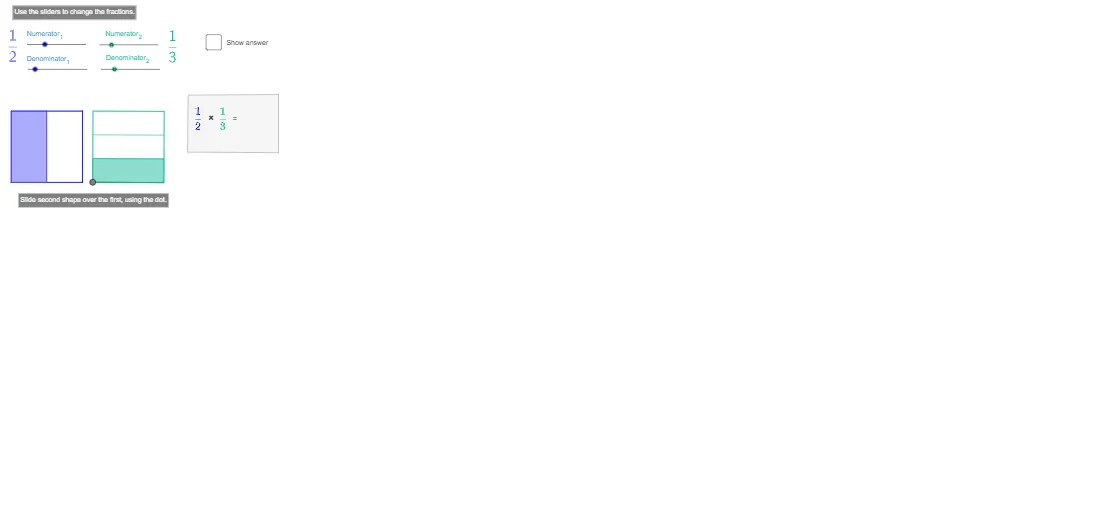
This GeoGebra example demonstrates the multiplication of two fractions using an area model, where the product is visualized as the overlapping region within a rectangle. The core mathematical concepts include fraction multiplication, partitioning of unit area, and the relationship between parts and wholes. The construction uses commands such as Point, Polygon, Segment, Dilate, Sequence, Translate, Intersect, and If to create two sets of equally spaced grid lines, with sliders (den_1, den_2, num_1, num_2) controlling the numerators and denominators to dynamically update the shaded overlap area. This interactive tool is suitable for upper elementary to middle school students learning fraction operations, and serves as an effective visual aid for teachers in classroom demonstrations or for students' independent exploration to build geometric intuition about fraction multiplication.
GeoGebra Commands & Parameters
Point(Circle[A, 5]) → BPolygon(A, B, 4) → poly1, b, c, d, e, C, DLine(A, B) → fPoint(f) → ESegment(A, E) → gPoint(g) → FPoint(Circle[F, 5]) → GSegment(F, G) → hPolygon(F, G, 4) → poly2, i, j_1, k_1, l, H, IDilate(B, 1 / den_1, A) → B_1Sequence(Segment[Translate[D, Vector[(i * Vector[A, B_1])]], Translate[A, Vector[(i * Vector[A, B_1])]]], i, 1, den_1 - 1) → list1Dilate(H, 1 / den_2, G) → H_1Sequence(Segment[Translate[F, Vector[(i * Vector[G, H_1])]], Translate[G, Vector[(i * Vector[G, H_1])]]], i, 1, den_2 - 1) → list2Translate(A, Vector[(num_1 * Vector[A, B_1])]) → B_2Translate(B_2, Vector[A, D]) → C_2Translate(G, Vector[(num_2 * Vector[G, H_1])]) → H_2Translate(H_2, Vector[G, F]) → I_2Polygon(A, B_2, C_2, D) → poly3, a_1, b_2, c_2, d_1Polygon(F, G, H_2, I_2) → poly4, f_1, g_1, h_2, i_2Line(B_2, C_2) → jLine(I_2, H_2) → kIntersect(j, k) → SPolygon(A, B_2, S, I_2) → poly5, a_2, b_1, s, i_1If(Distance[A, F] < 0.01, true, false) → overSegment(J, K) → mPoint(Circle[N, 6.333215521509234]) → OPolygon(N, O, P, Q) → q1, n_1, o, p, q
AI Drawing Prompt Reference
Draw a rectangle and then draw two grids inside it, controlled by denominators 1 and 2 for grid spacing. Next, use numerators 1 and 2 to define the boundaries of specific areas in the grids, forming two overlapping rectangular regions. Finally, calculate and draw the intersection of these two regions to represent the product area.
The prompt above was compiled from the original drawing commands and is for reference only.