
Geometric Construction of Square Root (with Area and Parallelogram)
Loading the math board and drawing, please wait…
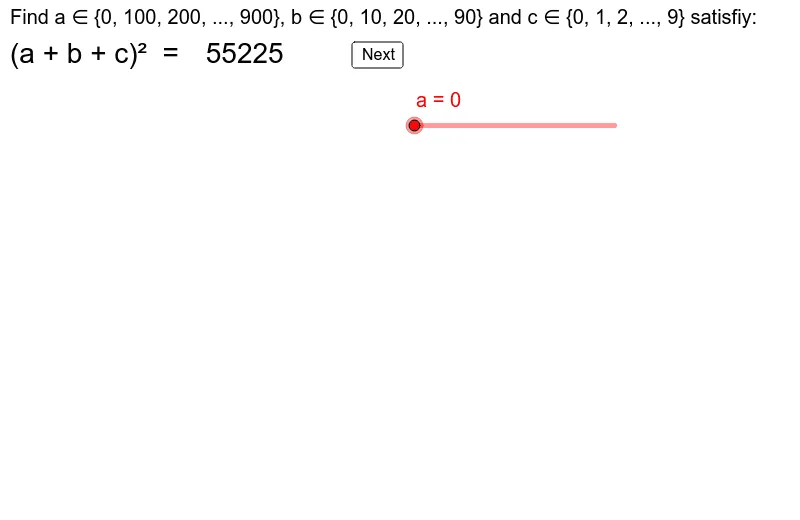
This GeoGebra example demonstrates a geometric construction for finding the square root of a number, integrating concepts of area, parallelograms, and quadratic functions. The core mathematical ideas involve square roots, real numbers, area relationships, and the visual representation of algebraic operations. The construction uses commands such as Rotate, Midpoint, VerticalText, Segment, Vector, and Corner, along with multiple polygons (poly2 to poly8), text objects (text1 to text12), and a button (button1) for interactive control. Objects like a, b, ab, deficit_1, and deficit_4 likely represent side lengths, area differences, or auxiliary quantities. This resource is suitable for middle or high school students to explore the geometric meaning of square roots, connecting algebra with geometry through area and parallelogram properties. It also offers opportunities to link with statistics and quadratic function graphs. By using sliders or buttons, learners can dynamically observe the construction steps, enhancing their understanding of real number operations and geometric transformations.
GeoGebra Commands & Parameters
Rotate(Polygon[O, O + (a', 0), O + (a', (-a')), O + (0, (-a'))], 0, (1, -4)) → poly2Rotate(Polygon[O + (a', 0), O + (a' + b', 0), O + (a' + b', (-a')), O + (a', (-a'))], 0, (0, 0)) → poly3Rotate(Polygon[O + (a' + b', (-a')), O + (a', (-a')), O + (a', (-a') - b'), O + (a' + b', (-a') - b')], 0, (0, 0)) → poly4Rotate(Polygon[O + (a', (-a')), O + (0, (-a')), O + (0, (-a') - b'), O + (a', (-a') - b')], 0, (0, 0)) → poly5Rotate(Polygon[O + (a' + b', 0), O + (a' + b', (-a') - b'), O + (a' + b' + c', (-a') - b'), O + (a' + b' + c', 0)], 0, (16, 7)) → poly6Rotate(Polygon[O + (a' + b', (-a') - b'), O + (a' + b' + c', (-a') - b'), O + (a' + b' + c', (-a') - b' - c'), O + (a' + b', (-a') - b' - c')], 0, (0, 0)) → poly7Rotate(Polygon[O + (a' + b', (-a') - b'), O + (a' + b', (-a') - b' - c'), O + (0, (-a') - b' - c'), O + (0, (-a') - b')], 0, (0, 0)) → poly8Midpoint(O, O + (a', (-a'))) → AMidpoint(O + (a', 0), O + (a' + b', (-a'))) → BMidpoint(O + (a', (-a')), O + (0, (-a') - b')) → CMidpoint(O + (a' + b', (-a')), O + (a', (-a') - b')) → DMidpoint(O + (a' + b', 0), O + (a' + b' + c', (-a') - b')) → EMidpoint(O + (a' + b', (-a') - b'), O + (0, (-a') - b' - c')) → FMidpoint(O + (a' + b', (-a') - b'), O + (a' + b' + c', (-a') - b' - c')) → GVerticalText("c(a+b)") → text5Segment(O + (0, 1), O + (0, 3)) → dSegment(O + (a', 1), O + (a', 3)) → eVector(O + (0, 2), O + (a', 2)) → uVector(O + (a', 2), O + (0, 2)) → vSegment(O + (-1, 0), O + (-3, 0)) → fSegment(O + (-1, (-a')), O + (-3, (-a'))) → gVector(O + (-2, 0), O + (-2, (-a'))) → wVector(O + (-2, (-a')), O + (-2, 0)) → hSegment(O + (a' + b', 1), O + (a' + b', 3)) → iVector(O + (a', 2), O + (a' + b', 2)) → jVector(O + (a' + b', 2), O + (a', 2)) → kSegment(O + (-1, (-a') - b'), O + (-3, (-a') - b')) → lVector(Midpoint[g], Midpoint[l]) → mVector(Midpoint[l], Midpoint[g]) → pSegment(O + (a' + b' + c', 1), O + (a' + b' + c', 3)) → qVector(Midpoint[i], Midpoint[q]) → rVector(Midpoint[q], Midpoint[i]) → sSegment(O + (-1, (-a') - b' - c'), O + (-3, (-a') - b' - c')) → tVector(Midpoint[l], Midpoint[t]) → u_1Vector(Midpoint[t], Midpoint[l]) → v_1Corner(1) → C_1Corner(2) → C_2Corner(3) → C_3Corner(4) → C_4Corner(5) → C_5
AI Drawing Prompt Reference
Draw a geometric construction showing how to find a square root using area and parallelograms. Include multiple polygons that are rotated and connected to form parallelograms and trapezoids, with labeled side lengths and areas. Use sliders to dynamically adjust the size of the shapes and observe the geometric meaning of square roots, connecting algebraic operations with geometric transformations.
The prompt above was compiled from the original drawing commands and is for reference only.