
Area Model Multiplication by Andrew Knauft
Loading the math board and drawing, please wait…
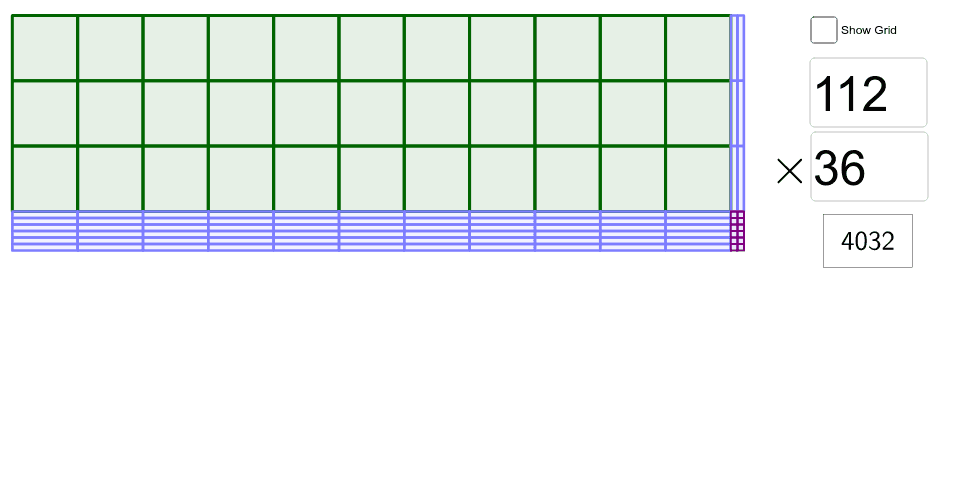
This example demonstrates multiplication using an area model, visually dividing and combining rectangular regions to illustrate the multiplication process. Core math concepts include multiplication, area, and decimal place value (hundreds, tens, ones). GeoGebra commands/objects used (from the construction summary) are Div (division), Textfield (text display), and Sequence for input boxes, calculation steps, and results. Suitable for elementary and above grades to learn multiplication, understand place value decomposition, and prepare for algebraic multiplication.
GeoGebra Commands & Parameters
Div(N, 10) → aTextfield(M) → InputBox1Textfield(N) → InputBox2Sequence(A - (0, (10 * k)), k, 0, Div[M, 10]) → vert10Sequence(A + ((10 * k), 0), k, 0, Div[N, 10]) → hor10Sequence(A - (0, (10 * Div[M, 10]) + k), k, 0, Mod[M, 10]) → vert1sSequence(A + ((10 * Div[N, 10]) + k, 0), k, 0, Mod[N, 10]) → hor1sSequence(Sequence[RectangleFromDiag[(x(Element[hor10, k]), y(Element[vert10, j])), (x(Element[hor10, k + 1]), y(Element[vert10, j + 1]))], k, 1, Length[hor10]], j, 1, Length[vert10]) → hundredsSequence(Sequence[RectangleFromDiag[(x(Element[hor10, k]), y(Element[vert1s, j])), (x(Element[hor10, k + 1]), y(Element[vert1s, j + 1]))], k, 1, Length[hor10]], j, 1, Length[vert1s]) → tensHSequence(Sequence[RectangleFromDiag[(x(Element[hor1s, k]), y(Element[vert10, j])), (x(Element[hor1s, k + 1]), y(Element[vert10, j + 1]))], k, 1, Length[hor1s]], j, 1, Length[vert10]) → tensVSequence(Sequence[RectangleFromDiag[(x(Element[hor1s, k]), y(Element[vert1s, j])), (x(Element[hor1s, k + 1]), y(Element[vert1s, j + 1]))], k, 1, Length[hor1s]], j, 1, Length[vert1s]) → ones