
Area Calculation of an Isosceles Trapezoid
Loading the math board and drawing, please wait…
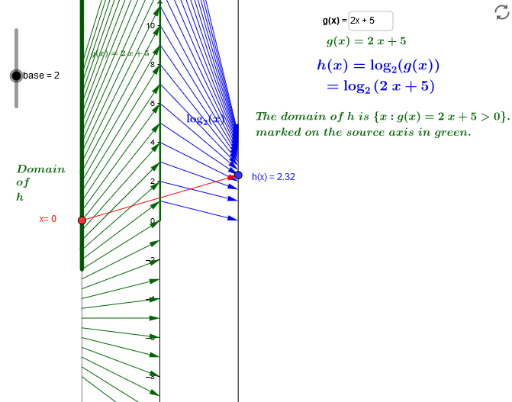
This example demonstrates the area calculation method of an isosceles trapezoid. Key mathematical concepts include the properties of trapezoids, area formulas, and the use of vectors. Using GeoGebra commands such as Point, Vector, Intersect, and Rotate, the construction process of the trapezoid can be dynamically displayed. Suitable for students at the junior high school level and above to learn geometry and algebra.
GeoGebra Commands & Parameters
Point(b) → A_1Vector(A_1, B) → uTextfield(h) → inputBox1Point(yAxis) → EPoint(yAxis) → FRay(E, F) → lIntersect(xAxis, yAxis) → GRay(G, H) → mTextfield(g) → inputBox2Rotate(dom, 90°, (0, 0)) → dom_1Vector((0, 0), (-2, 0)) → vTranslate(dom_1, v) → cSequence(Vector[(0, g(k)), (2, h(k))], k, -8, 8, 0.5) → MDlogSequence(Vector[(-2, k), (0, g(k))], k, -8, 8, 0.5) → MD_gSequence((k, h(k)), k, -8, 8, 0.5) → Graphpts
AI Drawing Prompt Reference
Draw a diagram for calculating the area of an isosceles trapezoid. Start by placing two points on the coordinate plane to define the base, and connect them with a vector. Choose two points on the y-axis to create a ray indicating the direction of one leg, and use the origin as the intersection to draw another ray for the base line. Rotate a given segment by 90 degrees around the origin, then translate it to form the opposite side. Generate a series of small vectors across the coordinate range to represent the slopes of the two legs, and mark points at their endpoints to outline the trapezoid. Include two input boxes for adjusting height and base length parameters, allowing dynamic visualization of the area calculation.
The prompt above was compiled from the original drawing commands and is for reference only.