
Area and Perimeter of a Rectangle
Loading the math board and drawing, please wait…
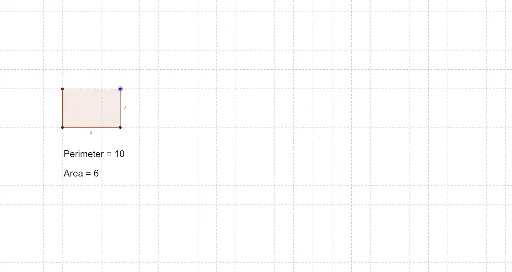
This GeoGebra example demonstrates how dynamic adjustment of a rectangle's length and width real-time computes and displays its area and perimeter. It involves core mathematical concepts such as rectangle area and perimeter formulas, coordinate geometry, and two-dimensional vectors. Construction uses GeoGebra commands including Intersect, OrthogonalLine, Polygon, Perimeter, and Area, with vertex objects A, B, C, D and length parameters a, b to dynamically generate the rectangle and its measurements. Suitable for middle school geometry and high school parameterized geometry modules, it helps students intuitively understand rectangle properties and the variation patterns of area and perimeter, serving as an introductory case for parameterized geometric construction.
GeoGebra Commands & Parameters
Intersect(xAxis, yAxis) → AOrthogonalLine(C, yAxis) → aOrthogonalLine(C, xAxis) → bIntersect(a, yAxis) → BIntersect(b, xAxis) → DPolygon(A, B, C, D) → poly1, a_1, c, b_1, dPerimeter(poly1) → eArea(poly1) → f
AI Drawing Prompt Reference
Draw a rectangle and dynamically adjust its length and width to calculate and display its perimeter and area in real-time. Start by creating a vertex A at the origin, then draw perpendicular lines from A to the x-axis and y-axis to get the other three vertices B, C, and D. Use these four vertices to draw the rectangle and calculate its perimeter and area.
The prompt above was compiled from the original drawing commands and is for reference only.