
Archimedes Sphere Surface Area Diagram
Loading the math board and drawing, please wait…
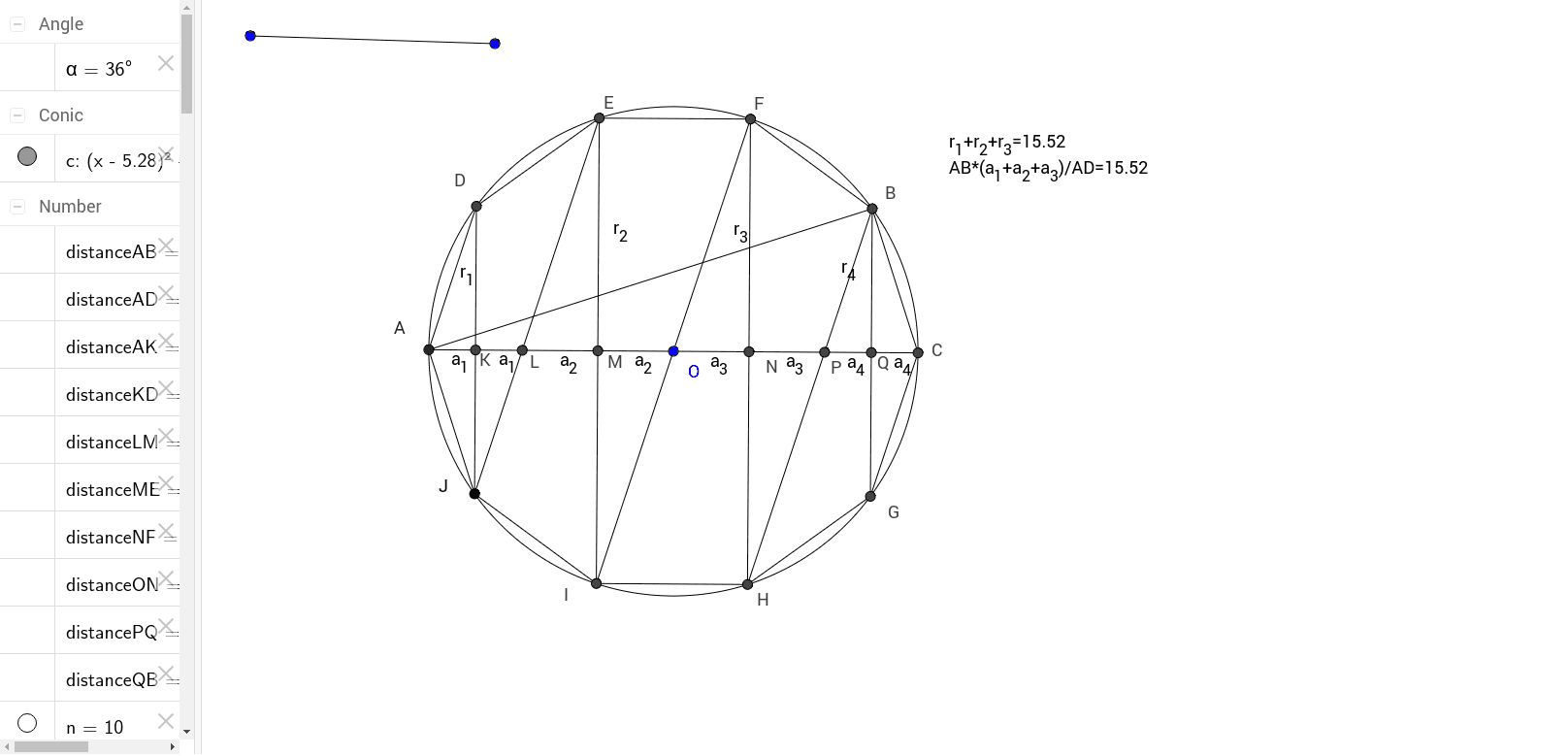
This example demonstrates the calculation of the surface area of a sphere, involving geometric concepts. Construction uses GeoGebra commands like Segment, Circle, and Rotate. Suitable for high school mathematics teaching. Key points include the sphere surface area formula and construction steps.
GeoGebra Commands & Parameters
Segment(A_1, B_1) → aCircle(O, a) → cPoint(c) → ARotate(A, α, O) → JPolygon(A, J, n) → poly1, b, l, I, H, G, C, B, F, E, D, d, e, f, g, h, i, j, kSegment(A, D) → mSegment(D, E) → pSegment(E, F) → qSegment(F, B) → rSegment(B, C) → sSegment(C, G) → tSegment(G, H) → a_3Segment(H, I) → b_1Segment(I, J) → c_1Segment(J, A) → d_1Segment(A, C) → e_1Segment(J, D) → f_1Segment(I, E) → g_1Segment(H, F) → h_1Segment(G, B) → i_1Segment(H, B) → j_1Segment(I, F) → k_1Segment(J, E) → l_1Segment(A, B) → m_1Intersect(e_1, f_1) → KIntersect(e_1, l_1) → LIntersect(e_1, g_1) → MIntersect(e_1, h_1) → NIntersect(e_1, j_1) → PIntersect(e_1, i_1) → QDistance(K, D) → distanceKDMidpoint(K, D) →Distance(M, E) → distanceMEMidpoint(M, E) →Distance(N, F) → distanceNFMidpoint(N, F) →Distance(Q, B) → distanceQBMidpoint(Q, B) →Distance(A, K) → distanceAKMidpoint(A, K) →Distance(L, M) → distanceLMMidpoint(L, M) →Distance(O, N) → distanceONMidpoint(O, N) →Distance(P, Q) → distancePQMidpoint(P, Q) →Intersect(e_1, h_1) → RDistance(A, D) → distanceADMidpoint(A, D) →Distance(A, B) → distanceABMidpoint(A, B) →Segment(D, K) → r_1Segment(K, J) → p_1Segment(I, M) → q_1Segment(M, E) → r_2Segment(F, N) → r_3Segment(N, H) → t_1Segment(G, Q) → a_4Segment(Q, B) → r_4Segment(A, K) → a_11Segment(K, L) → a_2Segment(L, M) → b_2Segment(M, O) → c_2Segment(O, N) → d_2Segment(N, P) → e_2Segment(P, Q) → f_2Segment(Q, C) → g_2
AI Drawing Prompt Reference
Draw a sphere and calculate its surface area. Start by drawing a circle, then rotate the circle around its center to form the sphere's surface. Next, draw a polygon on the sphere's surface and connect its vertices to form the polygon's sides. Finally, calculate and mark the midpoints of the polygon's sides and the distances between the midpoints and the vertices.
The prompt above was compiled from the original drawing commands and is for reference only.