
Arc Length Calculation Example
Loading the math board and drawing, please wait…
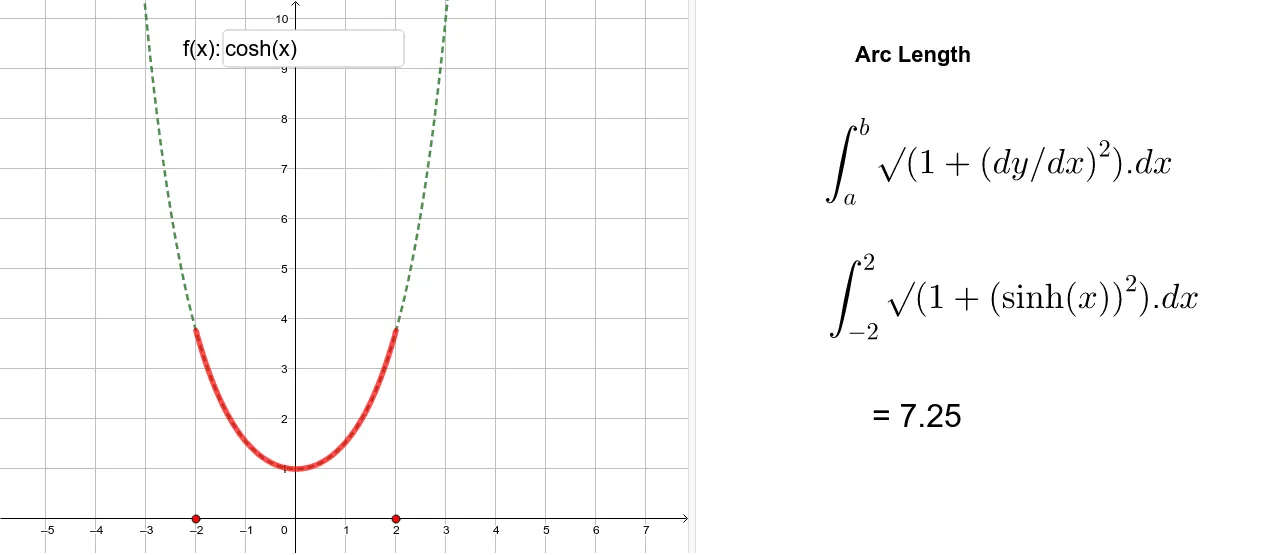
This example demonstrates how to use GeoGebra to calculate the arc length of a function curve. The core mathematical concepts involved include integral calculus and function graphing. Key construction elements use commands and objects such as Point, Textfield, Integral, and CurveCartesian to build the function, points, and integral expressions, showcasing the arc length calculation process. Suitable for high school and above mathematics learners to understand the application of integrals in geometry.
GeoGebra Commands & Parameters
Point(xAxis) → APoint(xAxis) → BTextfield(f) → InputBox1Integral(h, x(A), x(B)) → aCurveCartesian((t, f(t)), t, x(C), x(D)) → b
AI Drawing Prompt Reference
Draw the arc length of a function curve. First, create points A and B on the x-axis, then input the function expression in the text field, calculate the arc length between A and B, and display the result. Finally, draw the curve based on the function expression.
The prompt above was compiled from the original drawing commands and is for reference only.