
Arc Length and Sector Area by Alexander Lau
Loading the math board and drawing, please wait…
In collections
S.2 Ch.13 Area of Circle
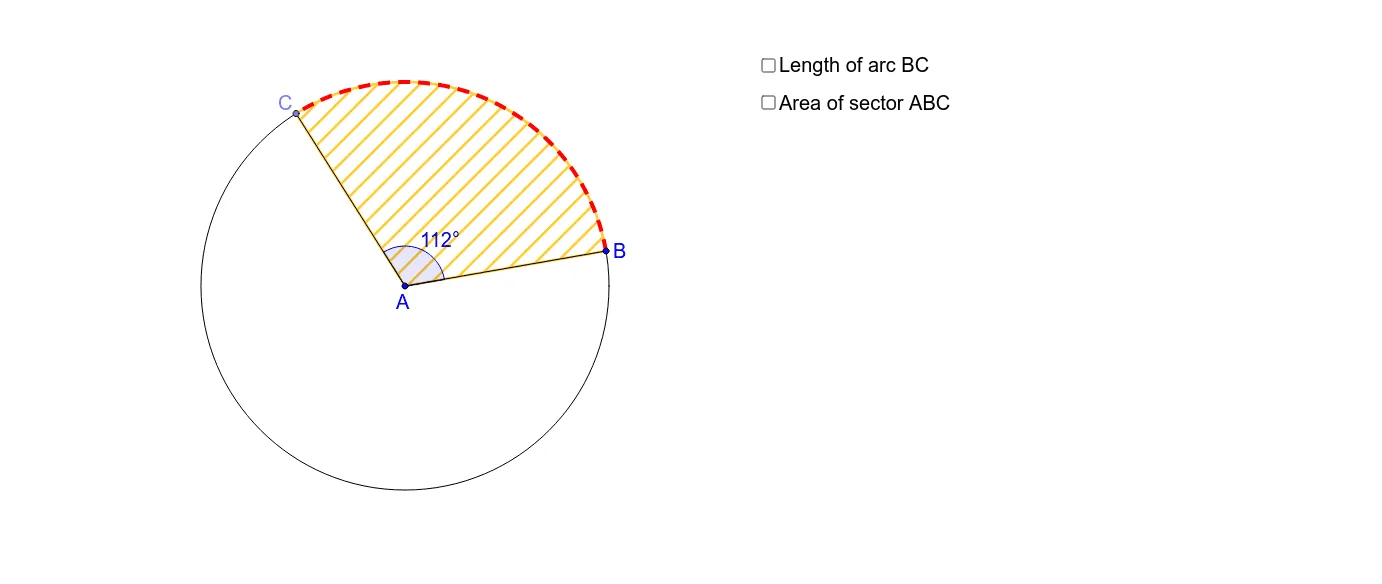
This example demonstrates how to calculate the length of an arc and the area of a sector. Key mathematical concepts include circle properties, angles, and area formulas. Using GeoGebra commands such as Circle, Segment, Point, etc., dynamic constructions of arcs and sectors can be made. Suitable for middle school and above students to learn geometric constructions and related calculations.
GeoGebra Commands & Parameters
Circle(A, B) → cSegment(A, B) → aPoint(c) → CSegment(A, C) → bAngle(B, A, C) → αCircleSector(A, B, C) → dCircleArc(A, B, C) → eCircle(A_1, B_1) → c_1Segment(A_1, B_1) → a_1Point(c_1) → C_1Segment(A_1, C_1) → b_1Angle(B_1, A_1, C_1) → α_1CircleSector(A_1, B_1, C_1) → d_1CircleArc(A_1, B_1, C_1) → e_1
AI Drawing Prompt Reference
Draw a circle, then select two points A and B on the circle to construct arc AB and sector AB. Next, select another point C on the circle to construct arc AC and sector AC. Finally, measure angle BAC and the corresponding arc length and sector area.
The prompt above was compiled from the original drawing commands and is for reference only.