
Apollonian trisection using rectangular hyperbola
Loading the math board and drawing, please wait…
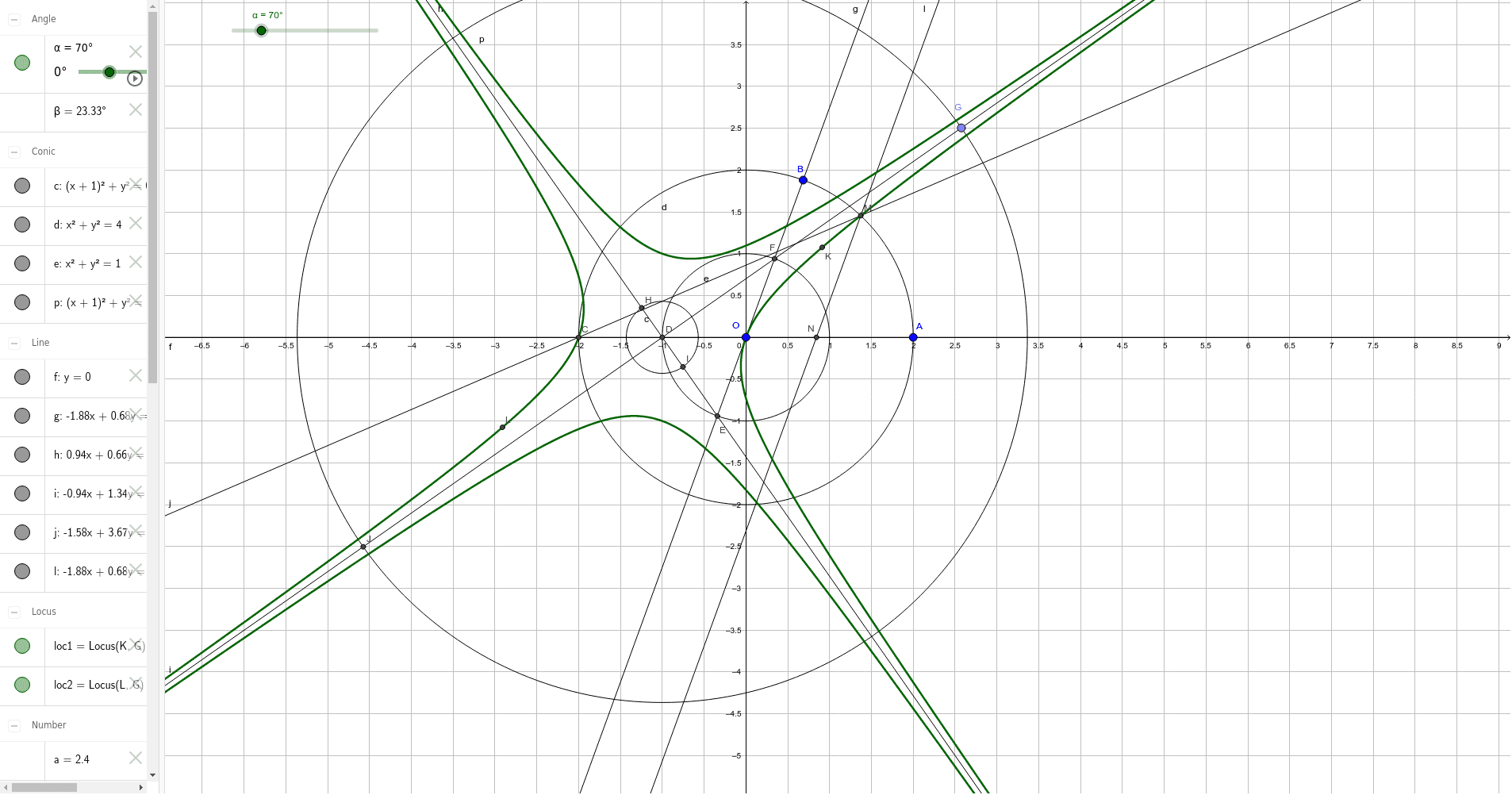
This example demonstrates how to trisect an angle using a rectangular hyperbola, integrating concepts like hyperbolas, trigonometric functions, LCM and GCD, standard deviation, exponents, and binomial distributions. It constructs the necessary geometric elements using commands such as Rotate, Line, Circle, Intersect, Midpoint, Point, Length, and Locus. Suitable for high school and advanced learners exploring the intersection of geometric constructions and higher mathematics.
GeoGebra Commands & Parameters
Rotate(A, α, O) → BLine(O, A) → fLine(O, B) → gCircle(O, A) → dIntersect(d, f, 2) → CMidpoint(O, C) → DCircle(O, D) → eIntersect(e, g) → E, FLine(D, E) → hLine(D, F) → iPoint(i) → GLength(Segment[D, G]) → k_1Circle(D, k_2) → cIntersect(c, h) → H, ICircle(D, G) → pIntersect(p, i, 2) → JMidpoint(Segment[G, I]) → KMidpoint(Segment[J, H]) → LLocus(K, G) → loc1Locus(L, G) → loc2Rotate(A, β, C) → A'Line(C, A') → jIntersect(d, j, 2) → MLine(M, g) → lIntersect(f, l) → N
AI Drawing Prompt Reference
Draw an angle and trisect it using a rectangular hyperbola to demonstrate the connection between hyperbolas and trigonometric functions, coordinate geometry. Start by drawing the angle's two sides, intersecting a circle centered at the vertex with the sides to get points, then connect these points and intersect with the sides again. Use midpoints to draw new circles and connect them to form loci, showing the trisection process.
The prompt above was compiled from the original drawing commands and is for reference only.