
Relationship Between Pentagon, Decagon, and Icosahedron
Loading the math board and drawing, please wait…
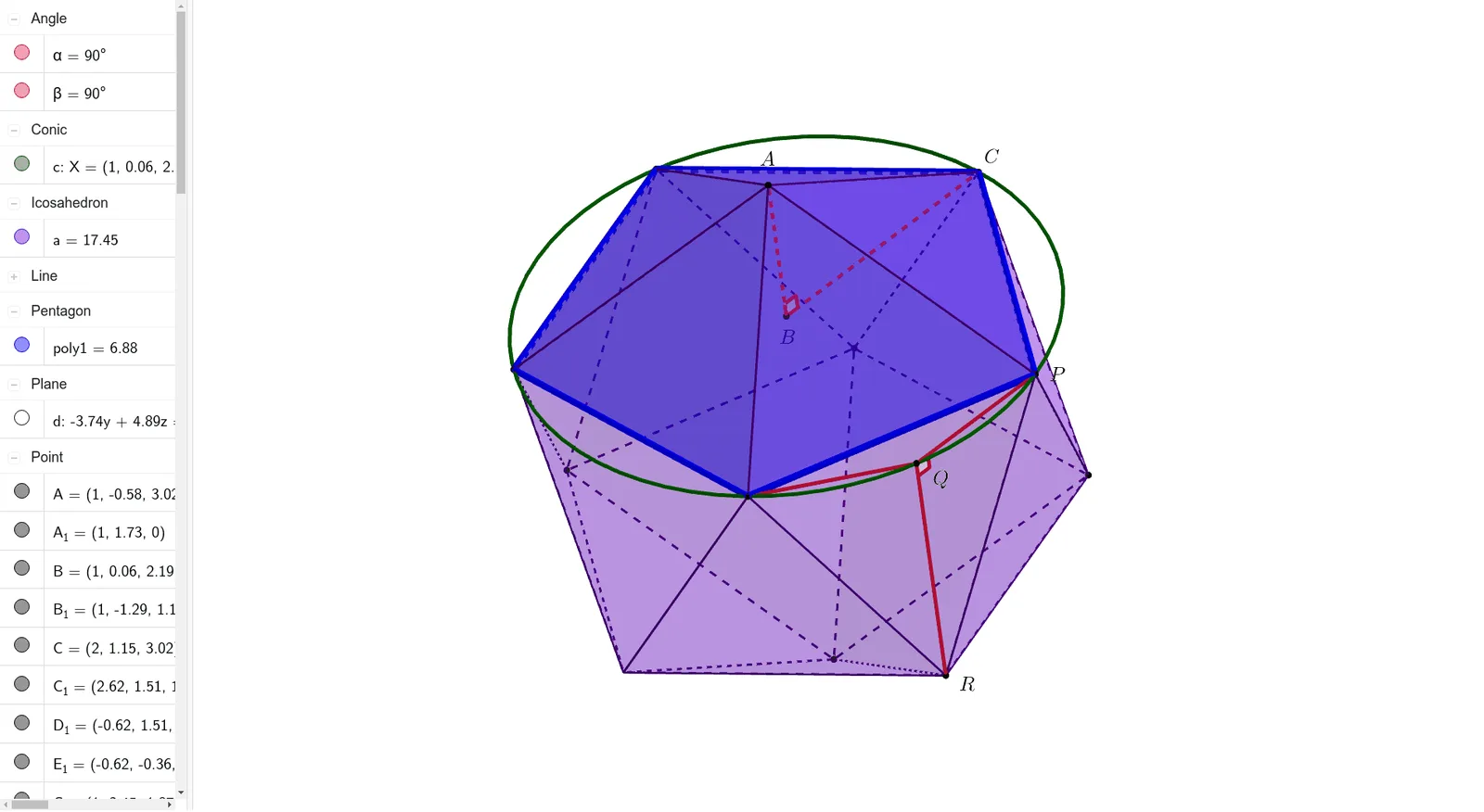
This example demonstrates the geometric relationships and construction methods among a pentagon, decagon, and icosahedron. Key math concepts include polygons, solid geometry, and angle calculations. It utilizes GeoGebra commands/objects such as Point, Icosahedron, Polygon, Line, Circle, Plane, Intersect, Segment, and Angle. Suitable for high school students and math enthusiasts studying solid geometry and polygon construction.
GeoGebra Commands & Parameters
Point(Circle[Midpoint[(0, 0), (2, 0)], (Distance[(0, 0), (2, 0)] * sqrt(3) / 2), Segment[(0, 0), (2, 0)]]) → A_1Icosahedron((0, 0), (2, 0), A_1) → a, B_1, face1, face3, face5, face4, face2, face7, face8, face6, faceACG, faceADG, C_1, faceCFI, faceCGI, faceGIJ, faceDGJ, faceFHI, faceHIJ, faceEHJ, faceDEJ, faceBFH, faceBEH, D_1, edge2, edge1, edge6, edge4, edgeAD, edge5, edgeDE, edge3, edgeBE, edge7, E_1, edge9, edgeBF, edge8, edgeCF, edgeAC, edgeAG, edgeCG, edgeDG, edgeCI, edgeFI, P, edgeGI, edgeGJ, edgeIJ, edgeDJ, edgeHI, edgeFH, edgeHJ, edgeEJ, edgeEH, edgeBH, G, A, C, JPolygon(E_1, B_1, P, C, J) → poly1, e, b, f, i, jLine(A, A_1) → gCircle(g, P) → cPlane(B_1, P, J) → dIntersect(g, d) → BSegment(B, P) → hPoint(xAxis) → RLine(R, g) → kIntersect(k, c) → Q,Segment(Q, B) → lSegment(Q, P) → mSegment(Q, B_1) → nLine(A, l) → pSegment(R, Q) → qSegment(B, A) → rSegment(B, C) → sAngle(A, B, C) → αAngle(P, Q, R) → β
AI Drawing Prompt Reference
Draw a figure containing a pentagon, decagon, and icosahedron. Start by drawing an icosahedron, then construct a pentagon using two vertices and the center of one of its faces. Draw a line through the center of the icosahedron, create a circle and a plane, find their intersection, and draw several segments and angles. Finally, draw a decagon ensuring it has geometric relationships with the pentagon and icosahedron.
The prompt above was compiled from the original drawing commands and is for reference only.