
Animation 166: Geometric Transformations via Rotation and Translation
Loading the math board and drawing, please wait…
In collections
Congruence (CO) Cluster
Congruence (Vol 1)
Congruence (Vol 1) Over 80 Resources
Geometry (Congruence) Volume 1
CCSS High School: Geometry (Congruence) Volume 1 S N ATTAR
CCSS High School: Geometry (Congruence) Volume 1
CCSS High School: Geometry (Congruence) Volume 1
CCSS High School: Geometry (Congruence) Volume 1
CCSS High School: Geometry (Congruence) Volume 1
CCSS High School: Geometry (Congruence) Volume 1
CCSS High School: Geometry (Congruence) Volume 1
CCSS High School: Geometry (Congruence) Volume 1
CCSS High School: Geometry (Congruence) Volume 1
CCSS High School: Geometry (Congruence) Volume 1
CCSS High School: Geometry (Congruence) Volume 1
CCSS High School: Geometry (Congruence) Volume 1
Congruence: Volume 1 - Chapter 1
Congruence: Volume 1 - Chapter 1
Congruence V1C1 Check
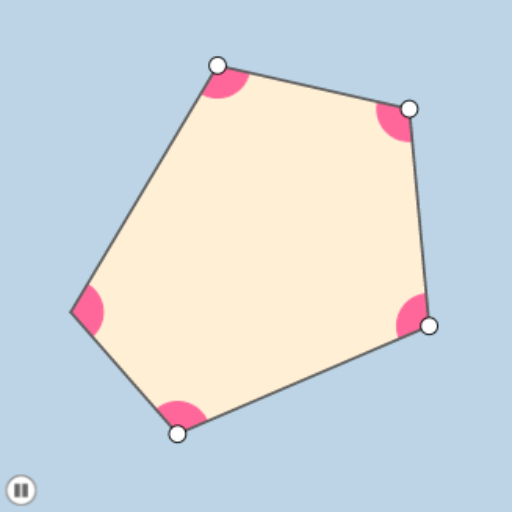
①This GeoGebra example demonstrates a dynamic animation of polygons undergoing combined geometric transformations such as rotation, translation, and dilation, showing how shapes move and change over time. ②Core mathematical concepts include geometric transformations (rotation, translation, homothety), vector operations, construction of polygons and circles, and parameter-driven dynamic processes. ③Construction highlights: from the summary, commands like Rotate, Angle, Ray, Point, Intersect, Polygon, Segment, Min, Circle, CircleSector, Dilate, Vector, and Translate are used, involving objects such as points A, B, C, D, E, F, polygon poly1, circles and sectors, plus auxiliary segments and vectors, all controlled by sliders or angle parameters. ④Suitable for middle/high school geometry or dynamic mathematics instruction, helping students visualize transformation composition and properties, and useful for teachers creating interactive lessons.
GeoGebra Commands & Parameters
Rotate(A, 108°, B) → A'Angle(A, B, A') → αRay(B, A) → fRay(B, A') → gPoint(f) → CRotate(B, (-(108°)), C) → B'Angle(B', C, B) → βRay(C, B') → hPoint(h) → DRotate(C, (-(108°)), D) → C'Angle(C', D, C) → γRay(D, C') → iPoint(i) → ERotate(D, (-(108°)), E) → D'Angle(D', E, D) → δRay(E, D') → jIntersect(g, j) → FPolygon(F, B, C, D, E) → poly1, f_1, b, c, d, eSegment(F, E) → kSegment(E, D) → lSegment(D, C) → mSegment(C, B) → nSegment(B, F) → pMin(list) → aCircle(B, (0.2 * a)) → qIntersect(q, p) → H,Intersect(q, n) → I,CircleSector(B, I, H) → rDilate(B, If[0 < o ≤ 1, 1 - o, 0], C) → B'_1Vector(B, B'_1) → uTranslate(r, u) → r'Rotate(r', If[1 < o ≤ 2, (((o - 1) * 2) * π / 5), (2 * π / 5)], C) → r''Dilate(C, If[2 < o ≤ 3, 3 - o, 0], D) → C'_1Vector(C, C'_1) → vTranslate(r'', v) → r'''Rotate(r''', If[3 < o ≤ 4, (((o - 3) * 2) * π / 5), (2 * π / 5)], D) → sDilate(D, If[4 < o ≤ 5, 5 - o, 0], E) → D'_1Vector(D, D'_1) → wTranslate(s, w) → s'Rotate(s', If[5 < o ≤ 6, (((o - 5) * 2) * π / 5), (2 * π / 5)], E) → s''Dilate(E, If[6 < o ≤ 7, 7 - o, 0], F) → E'Vector(E, E') → tTranslate(s'', t) → s'''Rotate(s''', If[7 < o ≤ 8, (((o - 7) * 2) * π / 5), (2 * π / 5)], F) → c_1
AI Drawing Prompt Reference
Create an animated geometric transformation showing a polygon undergoing combined rotations, translations, and scalings. The polygon rotates around a point at specific angles, translates, and scales, forming a new shape over time. Use vectors and parameters to dynamically demonstrate the continuous transformation and geometric properties, including angle changes and shape evolution.
The prompt above was compiled from the original drawing commands and is for reference only.