
Angles in Regular Polygons: Interior and Exterior Angle Dynamics
Loading the math board and drawing, please wait…
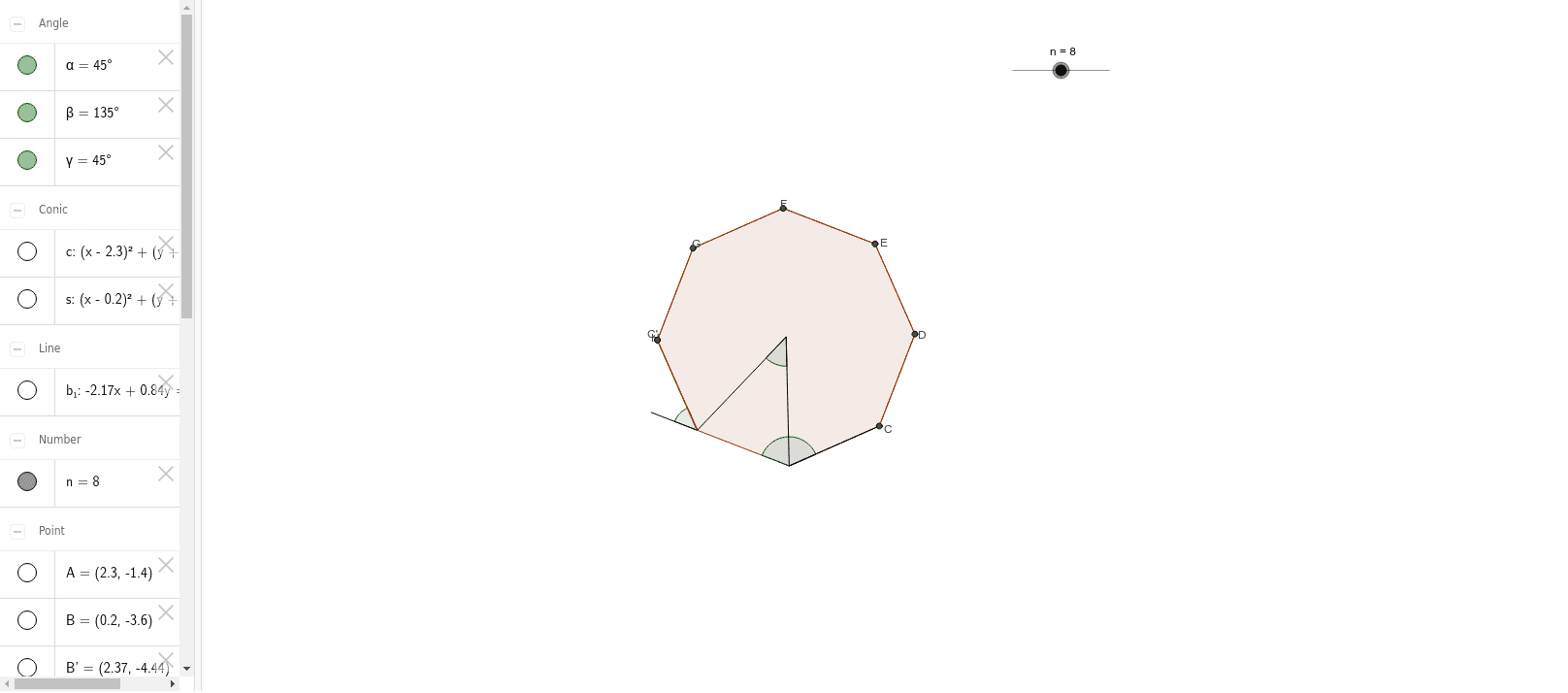
This GeoGebra example demonstrates the interior and exterior angles of regular polygons as the number of sides n varies dynamically. Core mathematical concepts include regular polygons, interior and exterior angle sums, central angles, rotational symmetry, and the functional relationship between side count and angle measure. The construction employs GeoGebra commands such as Circle, Segment, Rotate, Angle, Polygon, Ray, Midpoint, Intersect, LineBisector, and Mirror, together with objects including n, A, B, c, α, poly1, β, and M to build the polygon and measure its angles. Suitable for middle school and high school geometry instruction, classroom demonstrations, inquiry-based learning, and visualization practice.
GeoGebra Commands & Parameters
Circle(A, B) → cSegment(A, B) → aRotate(B, (360 / n)°, A) → B'Angle(B, A, B') → αPolygon(B, B', n) → poly1, b, m, p, q, C, D, E, F, G, H, I, d, J, K, L, e, f, h, i, j, k, lSegment(A, B') → gAngle(C, B', B) → βRay(B', B) → rMidpoint(b) → MCircle(B, M) → sIntersect(s, r) → N, OSegment(B, O) → tSegment(B', C) → a_1LineBisector(b) → b_1Mirror(B', b_1) → B''Mirror(C, b_1) → C'Segment(B'', C') → d'Midpoint(d) → PMirror(P, b_1) → P'Angle(P', B, O) → γ
AI Drawing Prompt Reference
Draw a regular polygon and dynamically show its interior and exterior angles as the number of sides n changes. Start by drawing a circle and a chord, then rotate point B to form a new point B', calculate the interior angle α. Next, draw a regular polygon and measure the exterior angle β. Use rotation and mirroring to construct auxiliary lines and points, ultimately showing the relationship between the interior and exterior angles.
The prompt above was compiled from the original drawing commands and is for reference only.